Organisation design
An organisation is first a structure: its legal identity, departments and positions with full job descriptions. The org chart, access rights and every user’s menu are built on it.
Designing the organisation structure
In ARG ERP an organisation is first of all a structure: the company with its legal identity, its departments, and its positions with full job descriptions. The rest of the system is built on this structure. The org chart is drawn from it, human and virtual employees fill its positions, and every user’s menu and access come from their position. To design the structure the system offers a step-by-step wizard and ready templates, so an organisation can start without a consultant and without a blank page.
The organisation design wizard
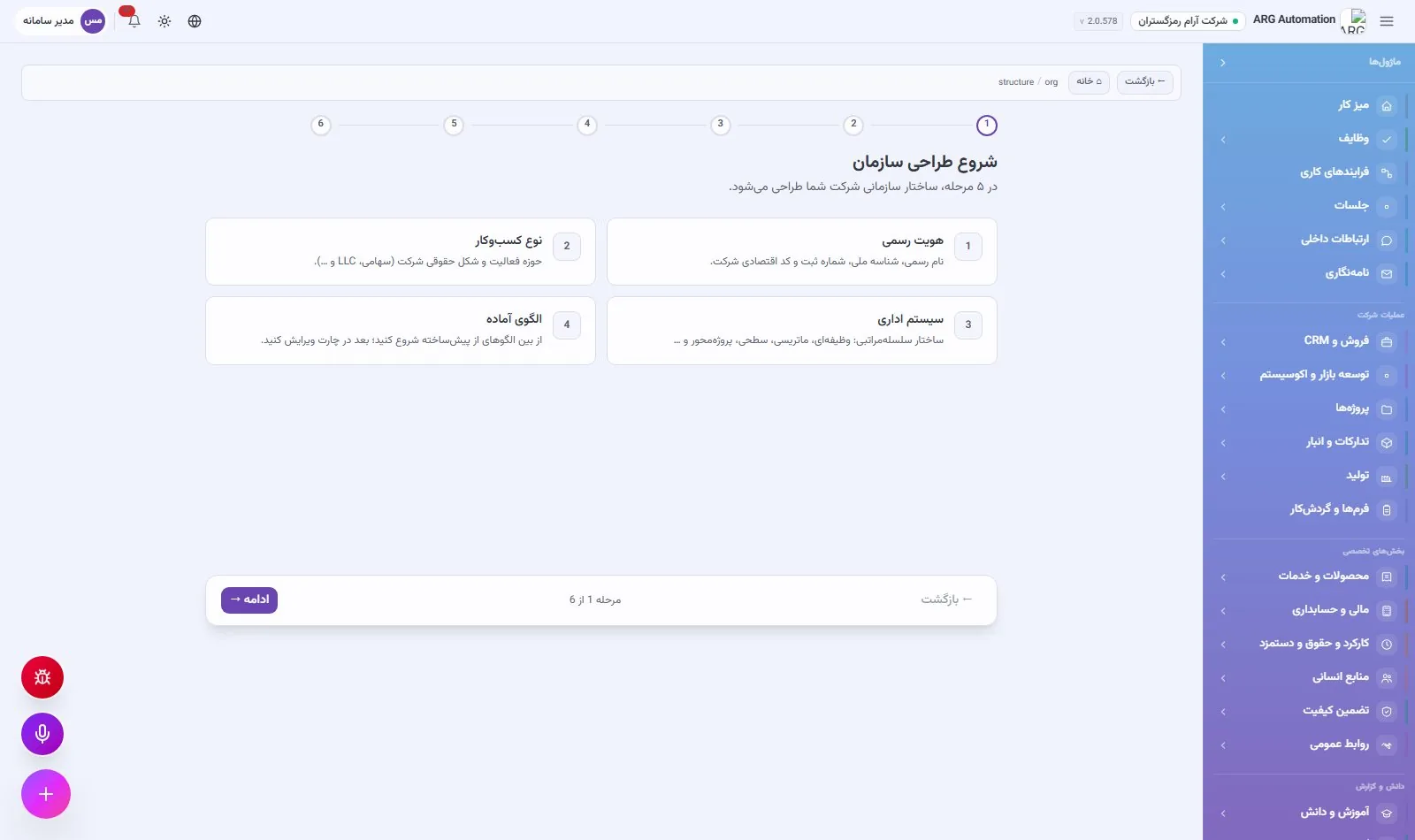
The “Company structure” page designs the organisation in five steps. Each step has a short explanation and you can go back to an earlier step at any time. Departments and positions are created only in the last step, after review.
Steps 1 and 2: identity and type of business
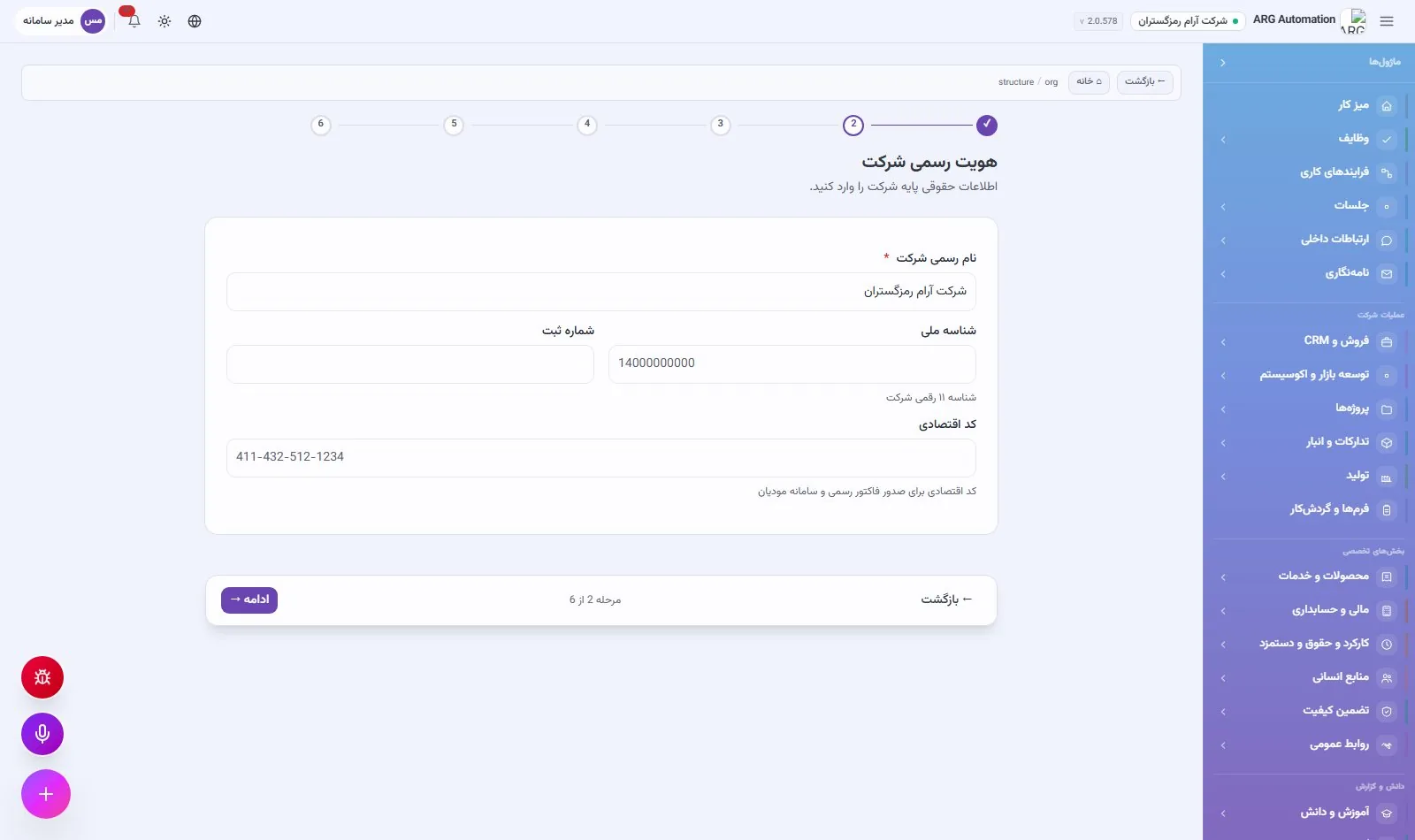
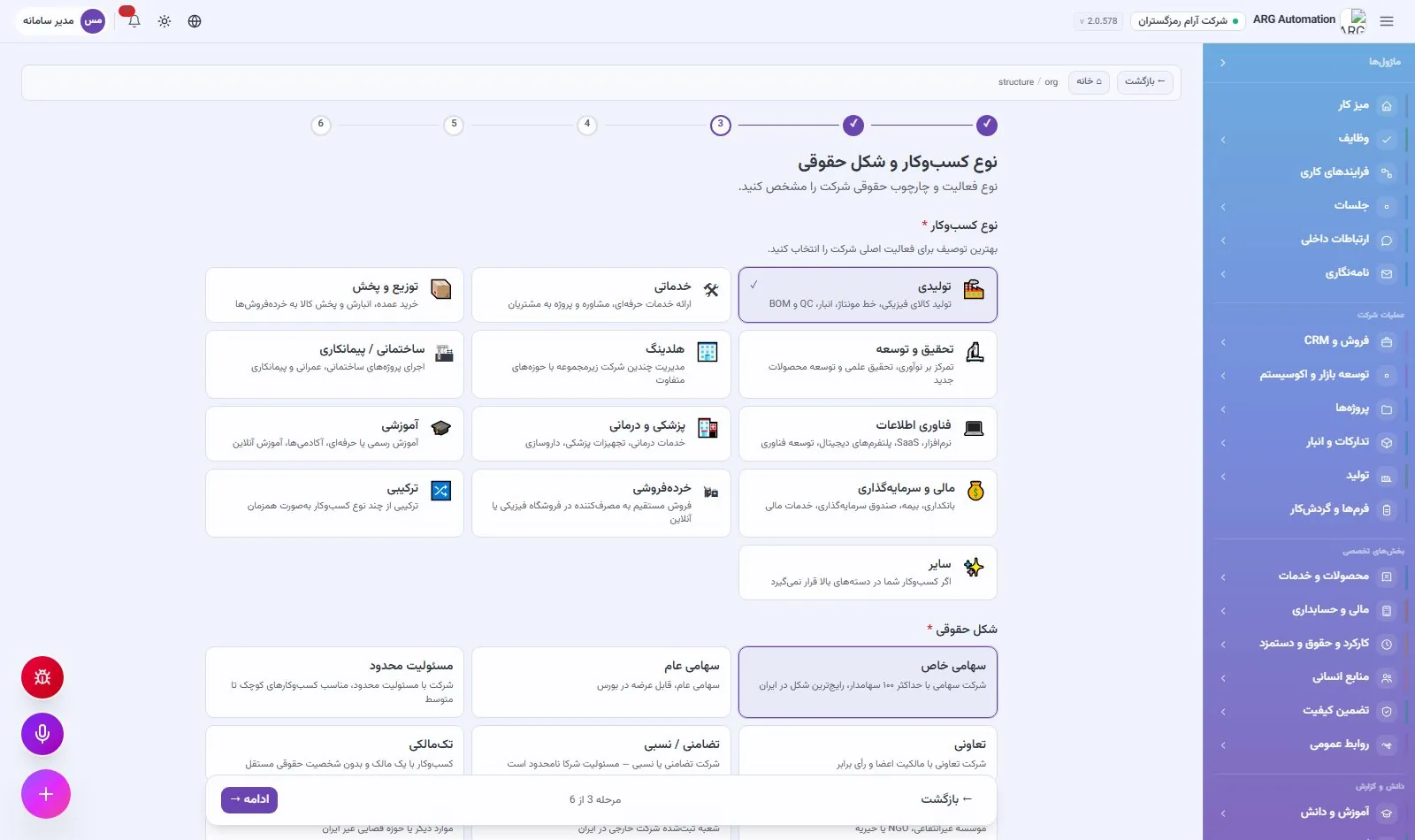
The legal identity covers the legal name, the eleven-digit national ID, the registration number and the economic code. The economic code is used on official invoices and in the national taxpayer system. In the second step the company’s field of activity and legal form are chosen.
13 fields of activity
Manufacturing, services, distribution and sales, research and development, holding, construction and contracting, information technology, medical and healthcare, education, finance and investment, retail, mixed and other.
8 legal forms
Private joint-stock, public joint-stock, limited liability, cooperative, general and limited partnership, sole proprietorship, non-profit, and branch of a foreign company.
Step 3: the management system
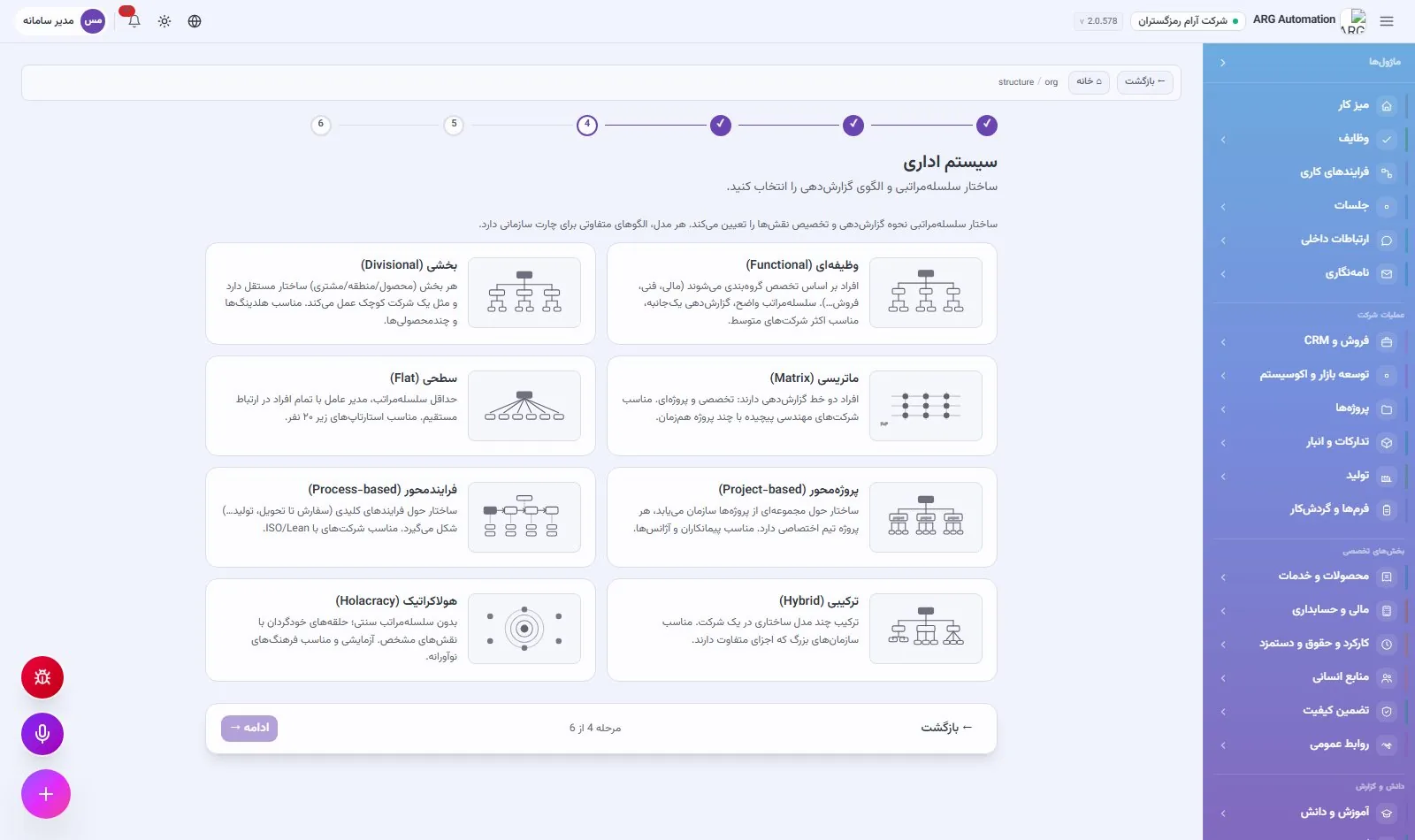
The management system determines how reporting and the division of roles work. Each option is shown with a small preview of the chart’s shape so the differences are visible.
| Structure | Characteristics |
|---|---|
| Functional | Departments by specialism (finance, sales, production…), a clear hierarchy; the most common structure for mid-sized companies |
| Divisional | Each division or product is largely independent; suited to multi-product companies |
| Matrix | Two reporting lines at once: functional and project |
| Flat | A minimum of management layers; suited to small teams |
| Project-based | The organisation forms around projects; suited to contractors |
| Process-based | Structured around key processes, in line with the ISO approach |
| Holacratic | Self-organising circles with defined roles |
| Hybrid | Two or more patterns combined in one organisation |
Step 4: ready templates
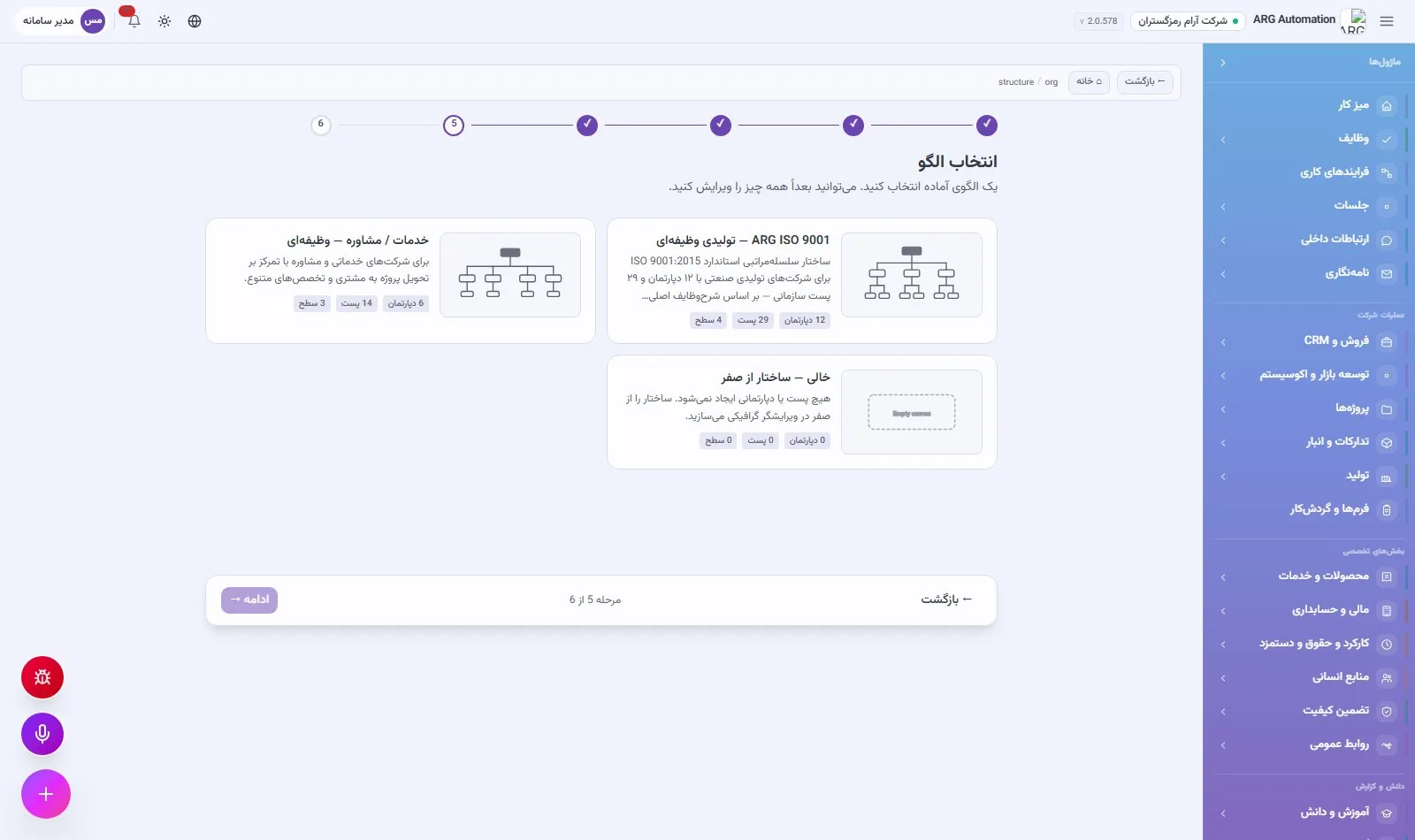
Ready templates are suggested based on the chosen management system. Each template creates the departments, positions, reporting lines and job descriptions in one go. After it is applied, everything can be edited in the chart.
| Template | Size | Suited to |
|---|---|---|
| ARG ISO 9001 — functional manufacturing | Medium | Industrial manufacturers; a standard ISO 9001:2015 structure with 12 departments, 29 positions and full job descriptions |
| Services and consulting — functional | Medium | Service and consulting firms focused on delivering projects to clients; 6 departments and 14 positions |
| Technology start-up — flat | Small | Technology teams of 5 to 20 people where the CEO works directly with team leads |
| Matrix — technology | Large | Mid-sized to large engineering companies with functional and project reporting lines |
| Holacratic — circles | Medium | A non-hierarchical structure with self-organising circles and multiple roles |
| Structure from scratch | Any size | An organisation that wants to build its own structure in the chart |
Steps 5 and 6: apply and edit
The final review shows a summary of the identity, business, structure and template. Applying it creates the departments and positions and the system reports how many were made. If the organisation already has a structure, you can choose to clear it and build a new one. Afterwards, the company structure page shows a summary of the legal identity, type of business, management system, legal identifiers, base currency, time zone and default calendar, and each part can be edited separately.
Departments
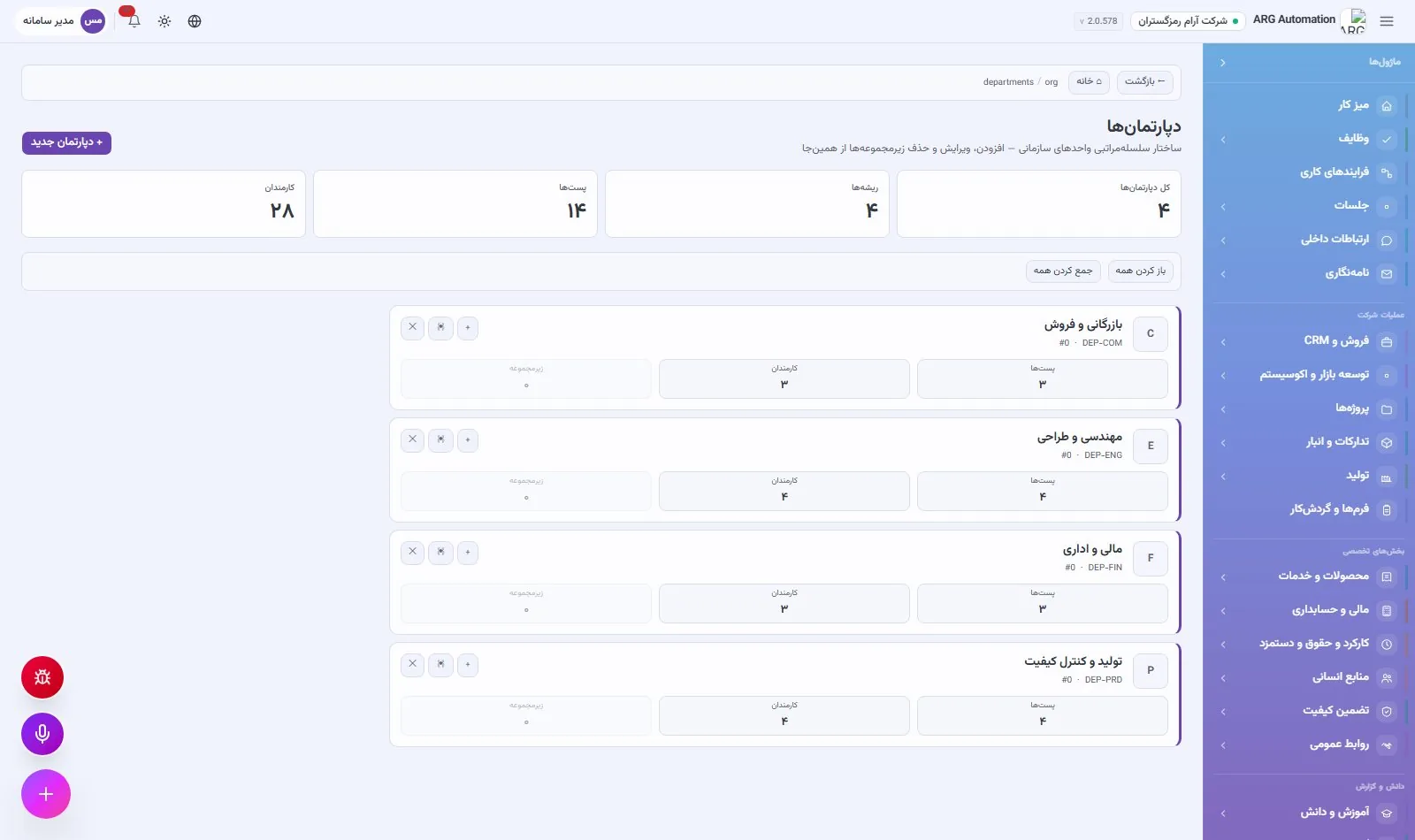
Departments are defined as a tree with sub-departments to any depth. Each department has a Persian and an English name, a code (generated automatically if left empty), a display order and a parent department. The number of positions, employees and sub-departments is shown beside each one. The system does not allow a department with sub-departments or assigned employees to be deleted, so the structure cannot fall apart by accident.
Positions and job descriptions
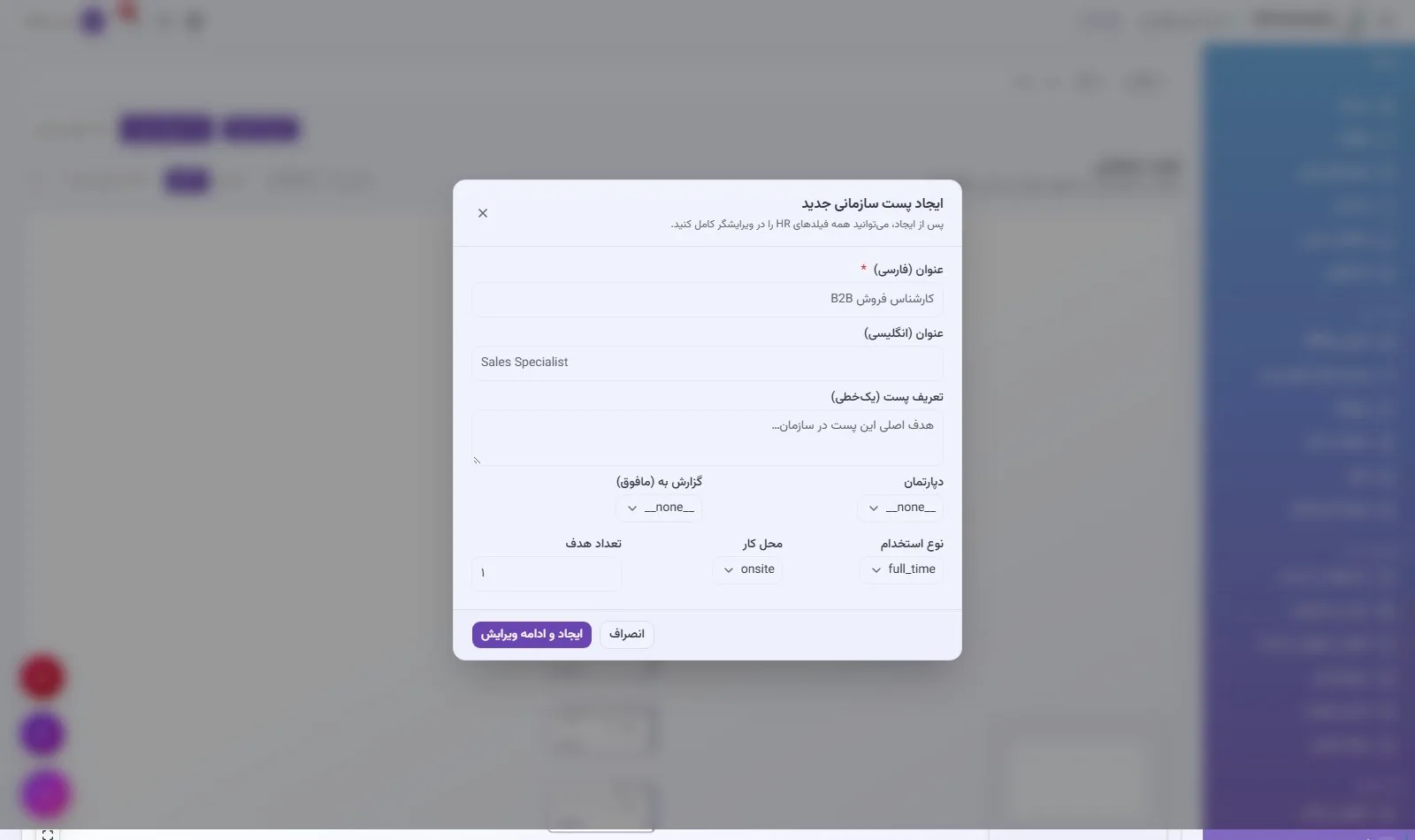
The position is the heart of this section. A new position is created with a title, a one-line mission, department, supervisor, employment type, workplace and target headcount. Then, in the full position editor, the job description is completed in the following sections:
Basic and organisational details
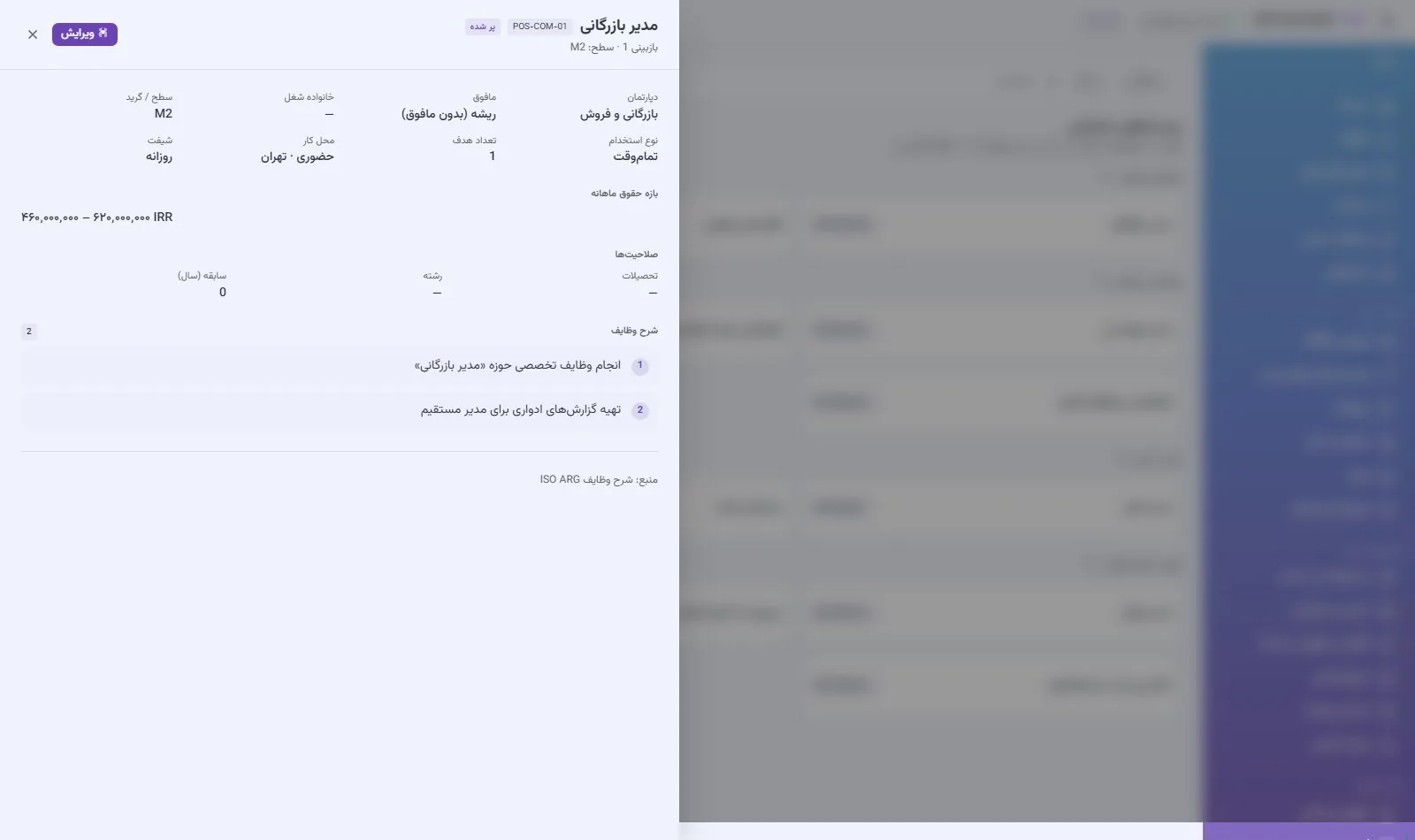
Job description code, title, mission, department, supervisor, job family (14 families) and level or grade.
Place and time of work
Employment type, workplace, shift and percentage of business travel.
Pay and benefits
The position’s monthly salary range.
Qualifications
Education (from diploma to doctorate), field of study, years of experience, required certificates and languages with proficiency level.
Competencies
Behavioural competencies (such as leadership, teamwork, problem solving and customer focus) and technical competencies.
Duties
A sortable list of duties, which can be loaded from 17 ready job-description templates.
Career path and succession
The successor position and the next promotion position, for succession planning.
Access levels
The system permissions given to whoever holds this position.
The ready job-description templates cover common positions: CEO, deputy CEO, finance manager, accountant, sales manager and sales specialist, marketing manager, HR manager and HR specialist, production supervisor and technician, quality-control specialist, IT manager and IT specialist, project manager, procurement officer and storekeeper.
The org chart
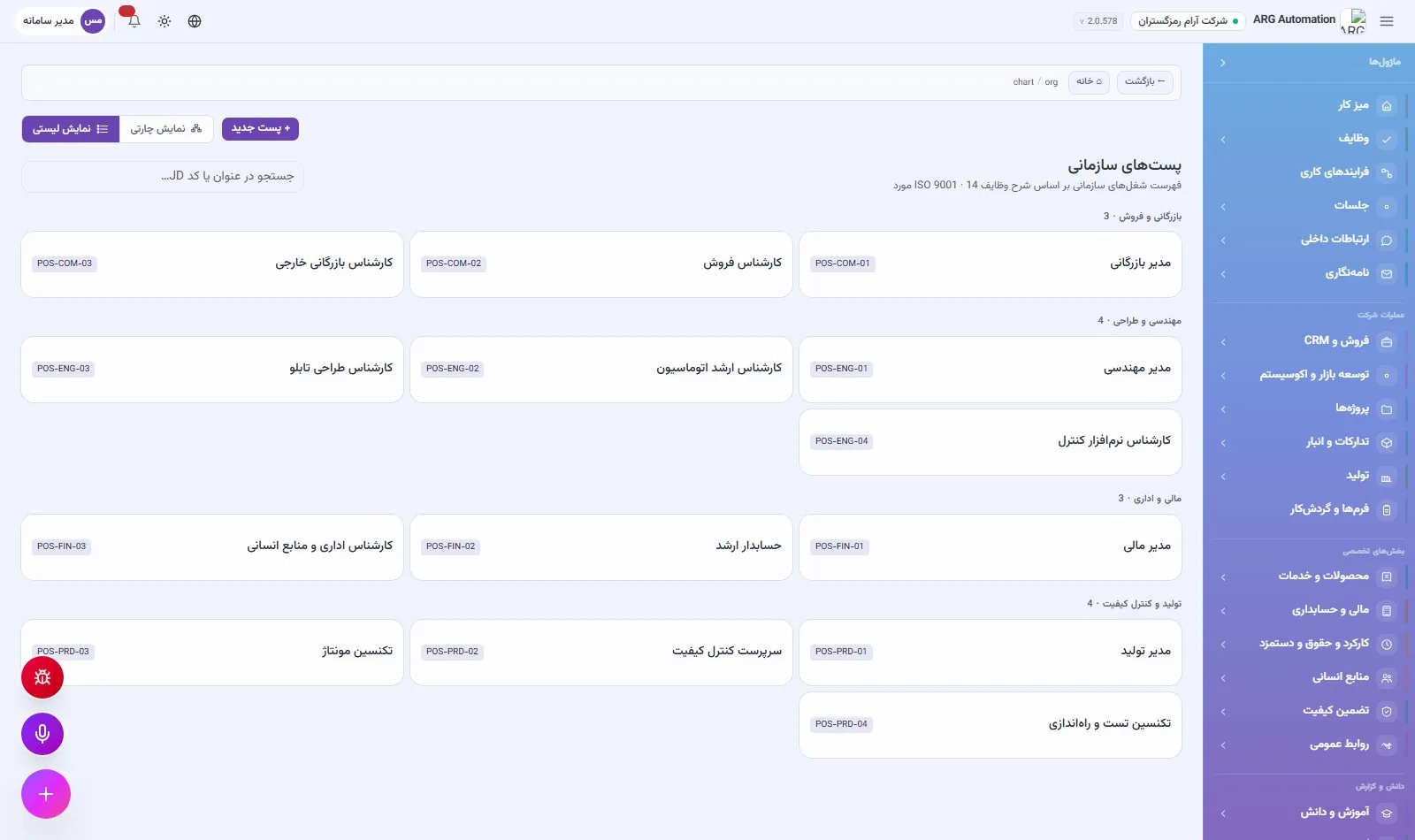
The org chart is drawn directly from the positions and reporting lines. It has two tree views (vertical and horizontal) and a list view. In the list view, positions are shown by department with their job-description code, and new positions can be created right there.
People in the organisation: human and AI
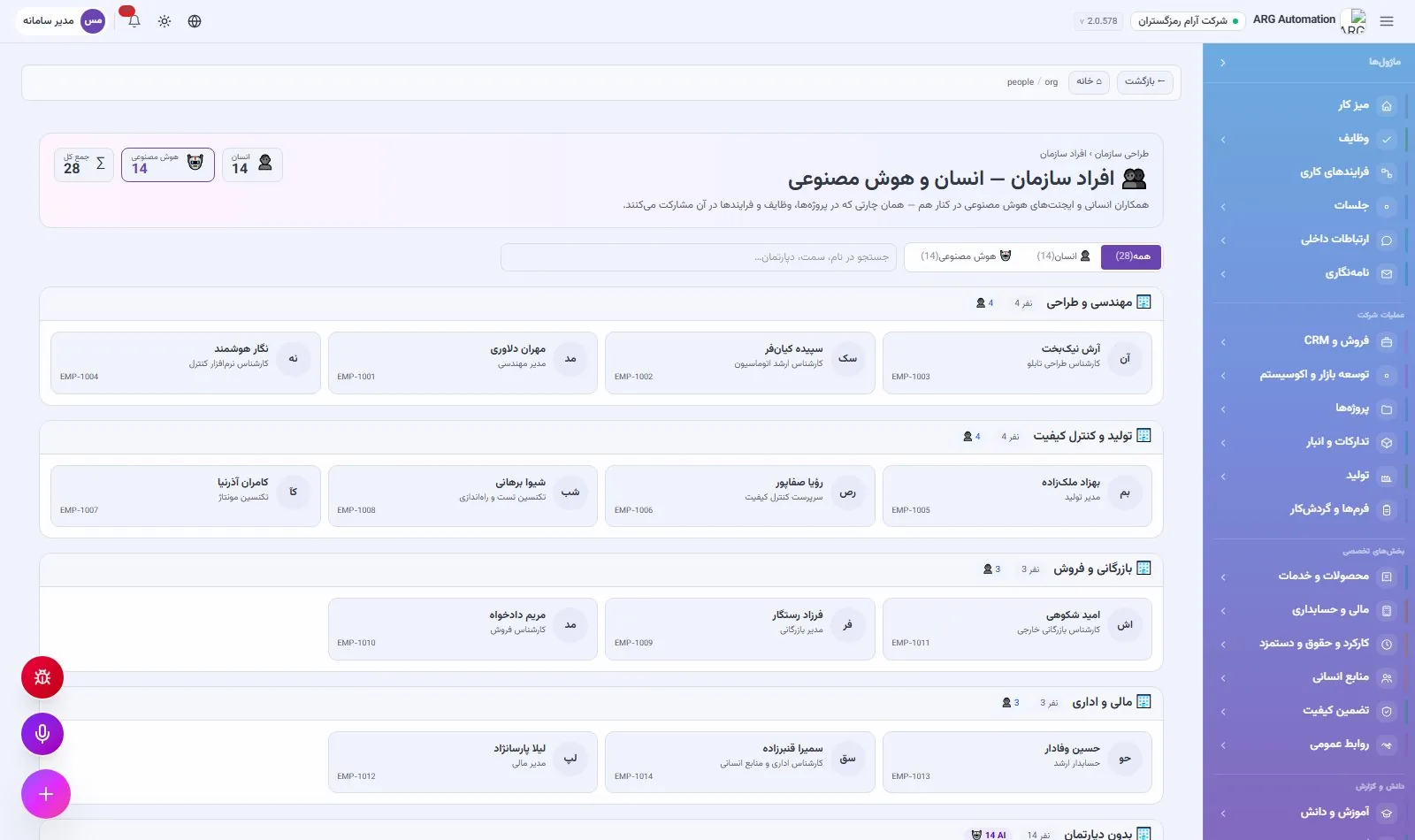
The “People” page shows all colleagues by department: human employees and virtual AI employees side by side, just as they work side by side in projects, tasks and processes. A human/AI filter, search by name, position and department, and overall statistics for the organisation are on the same page.
From structure to user accounts
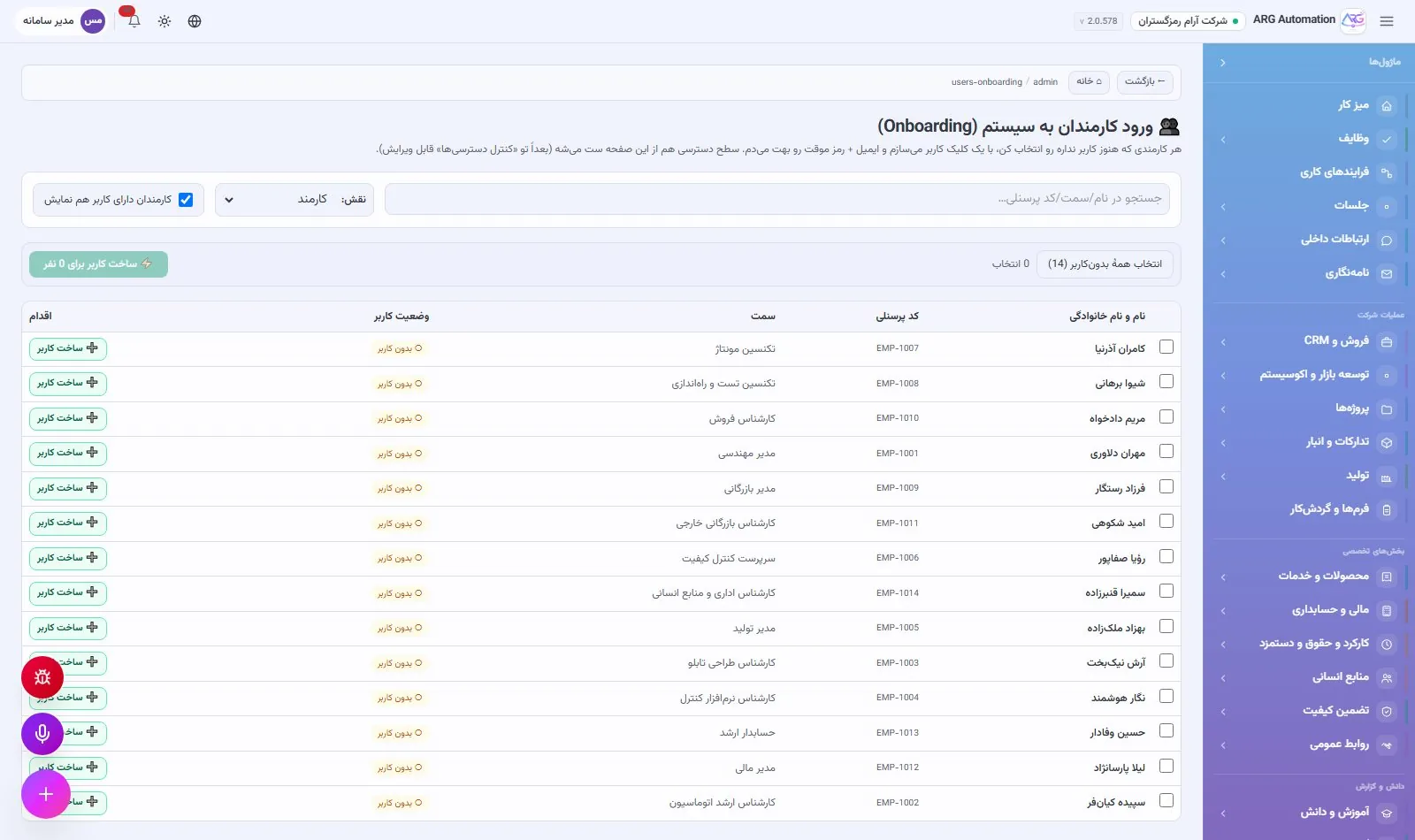
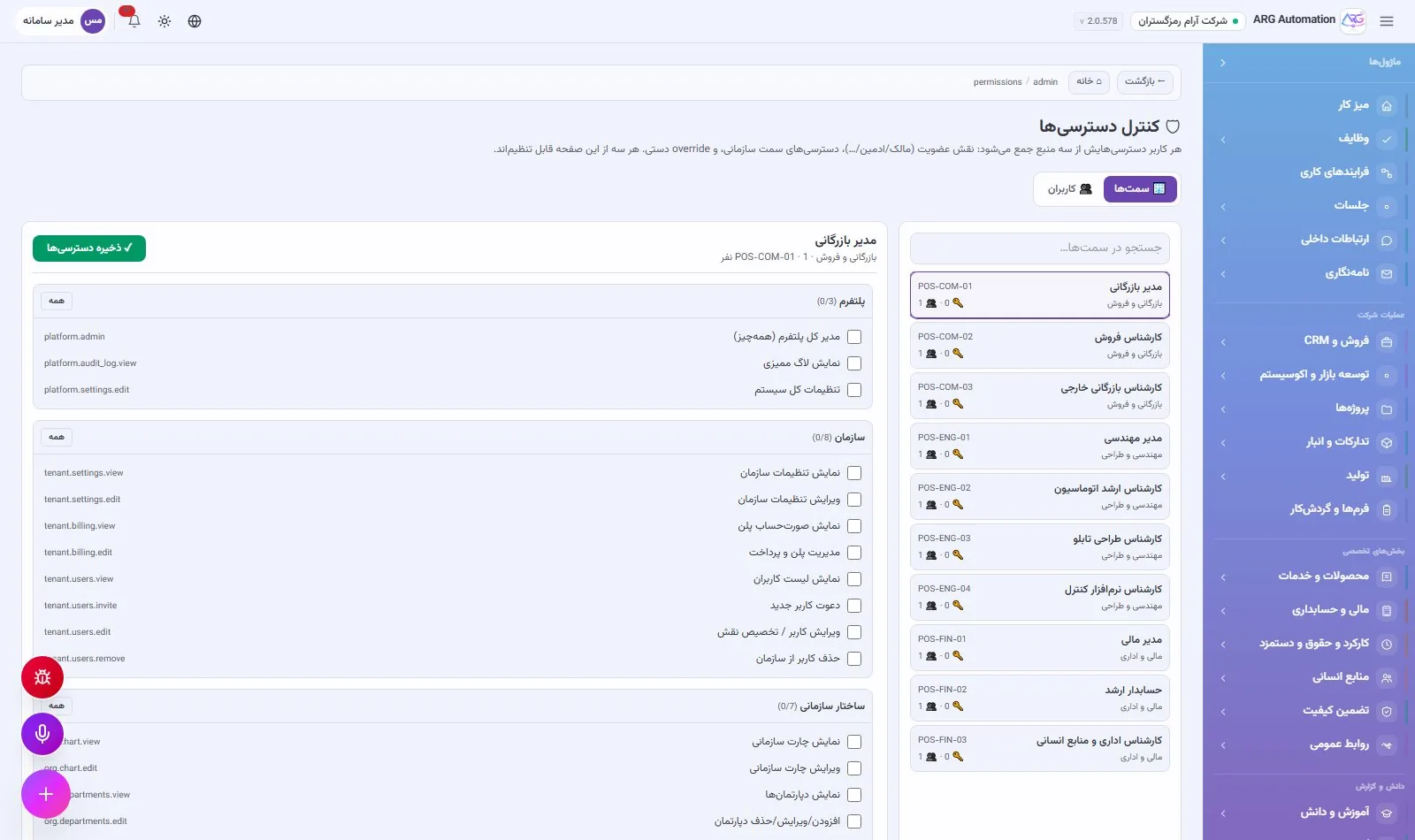
Once positions and employees are defined, the system administrator uses the “Create users from staff” page to create accounts with temporary passwords for the selected employees in one go. Each user gets their menu and access from their position. When a person’s position changes, their access changes automatically.
See ARG ERP for your organisation
Contact us for a walkthrough with sample data from your industry; existing users sign in here.