AI & reporting
Virtual AI employees with names and positions build reports, create tasks and reminders and send messages; dashboards and the report builder show the organisation live.
Reports and management dashboards
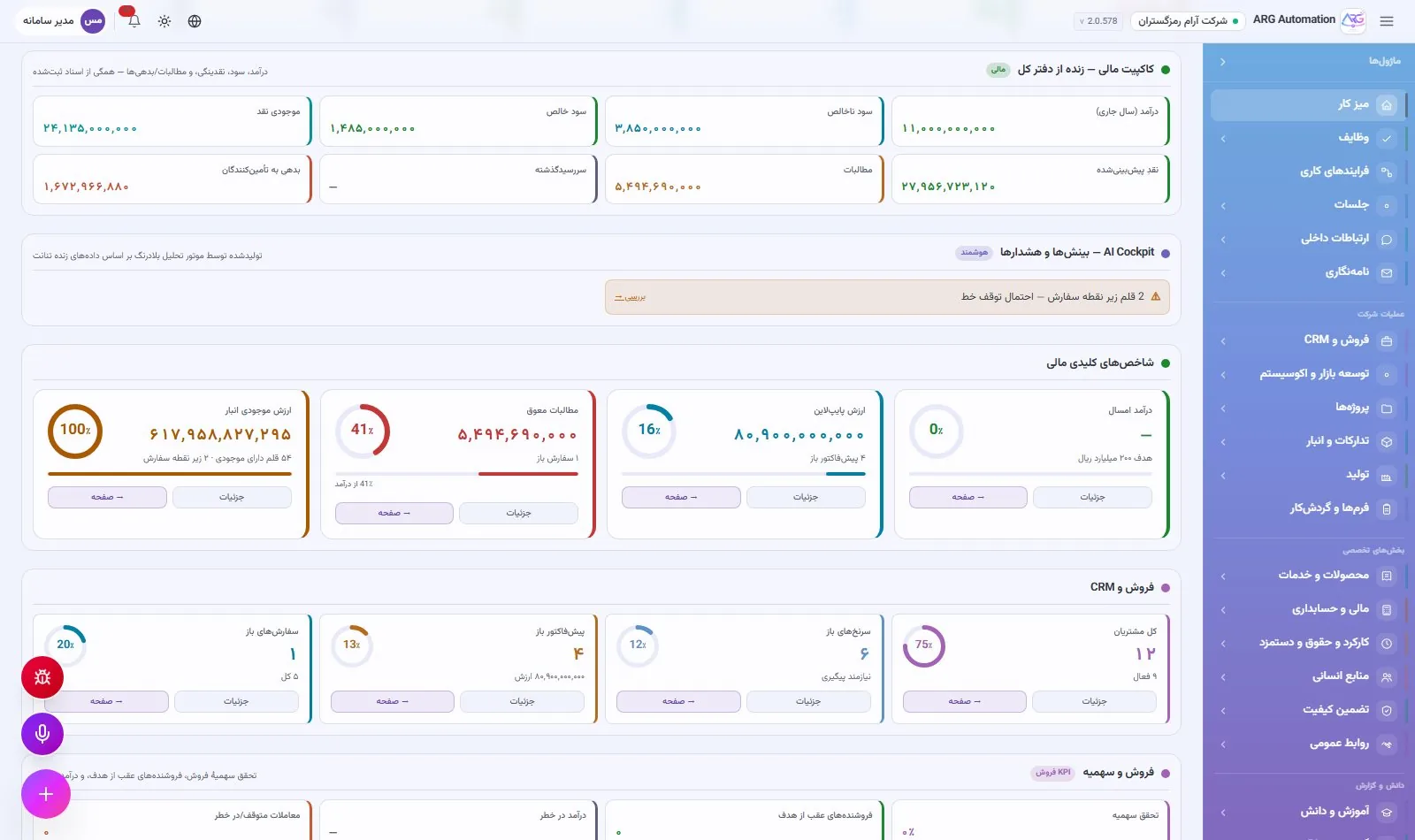
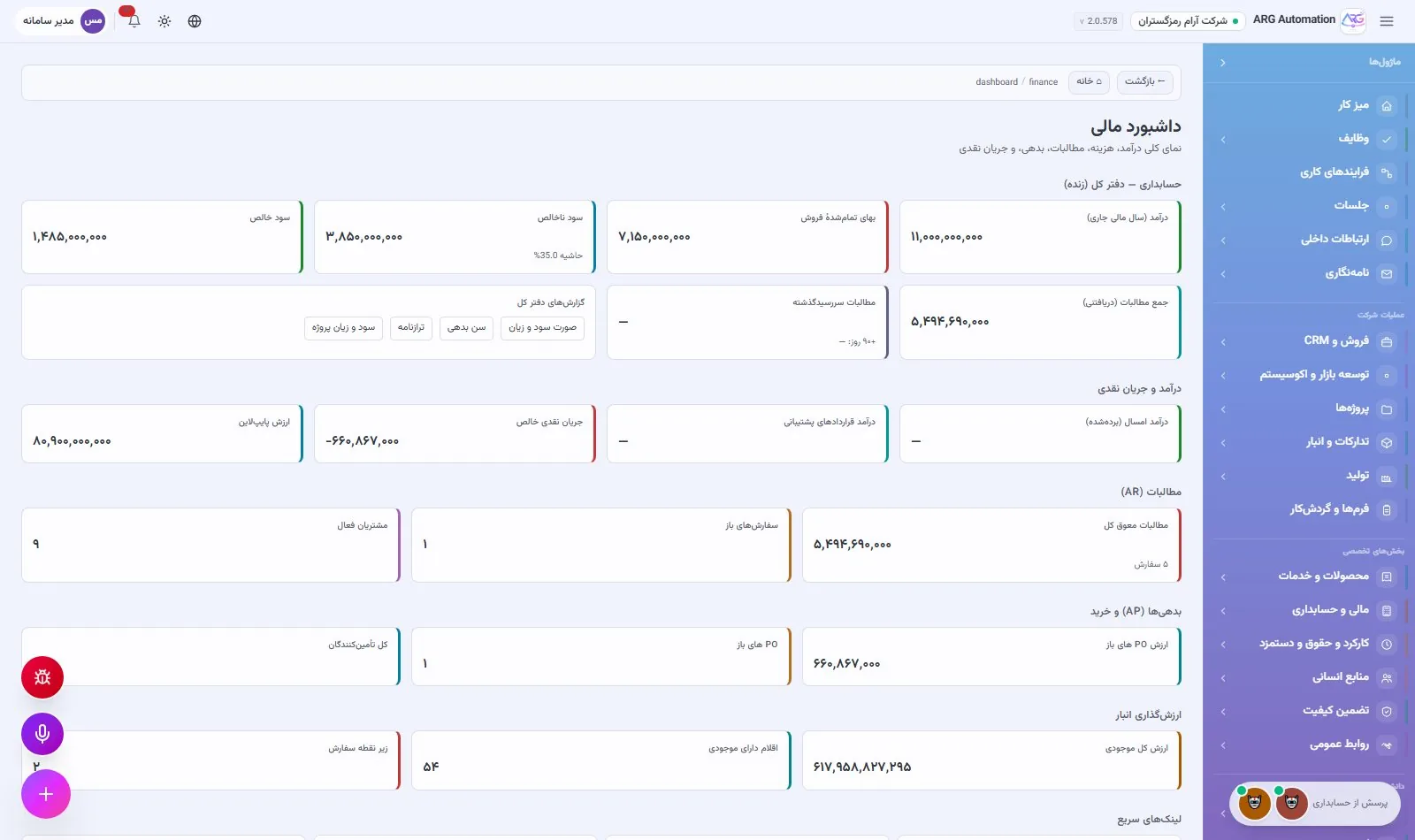
Managers do not wait for the month-end report to know where the organisation stands. The key indicators are ready on dashboards with no setup, new reports are built without code, and any report becomes an Excel, PDF or Word file with one click. You can even ask a virtual employee for a report in plain language.
Three layers of reporting
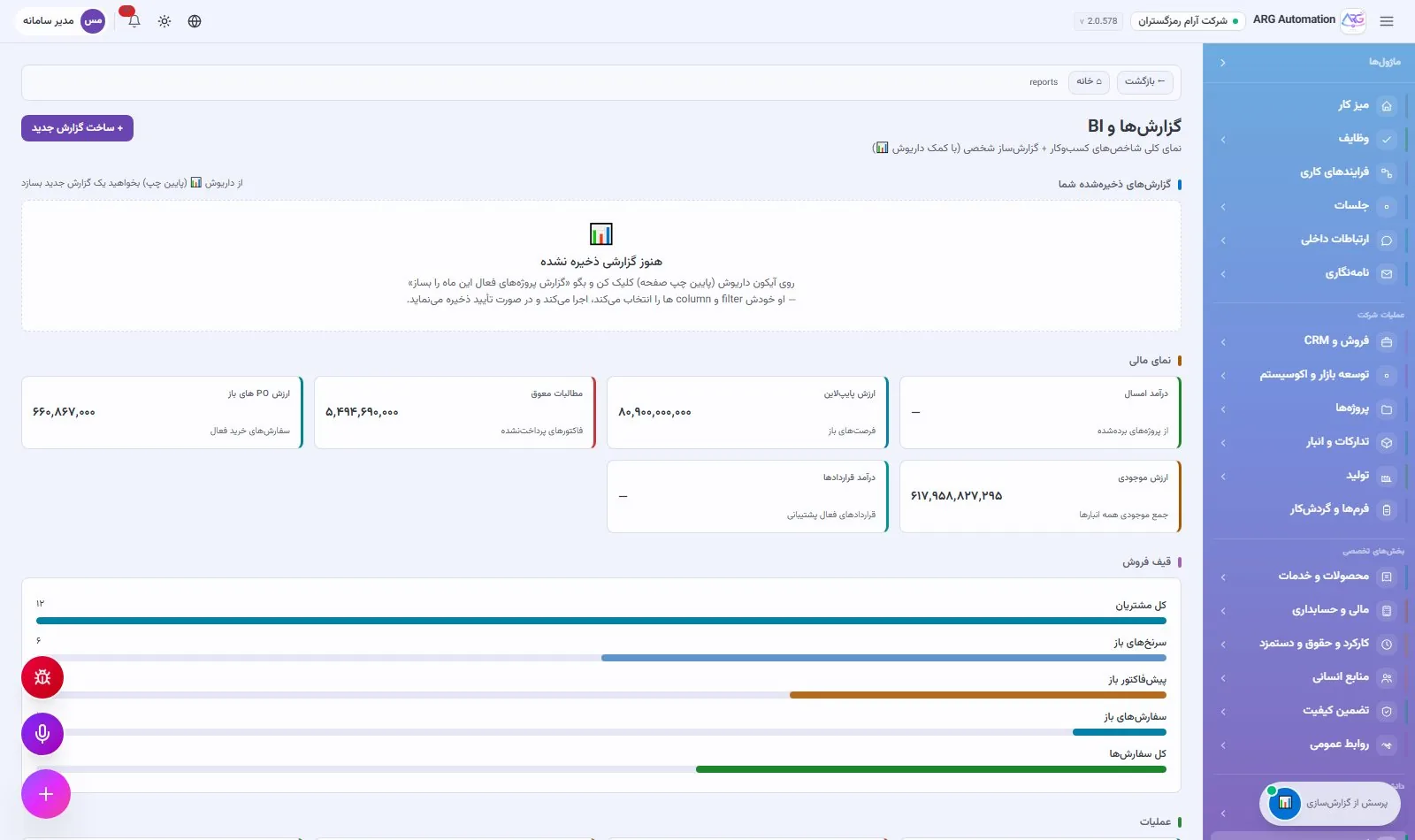
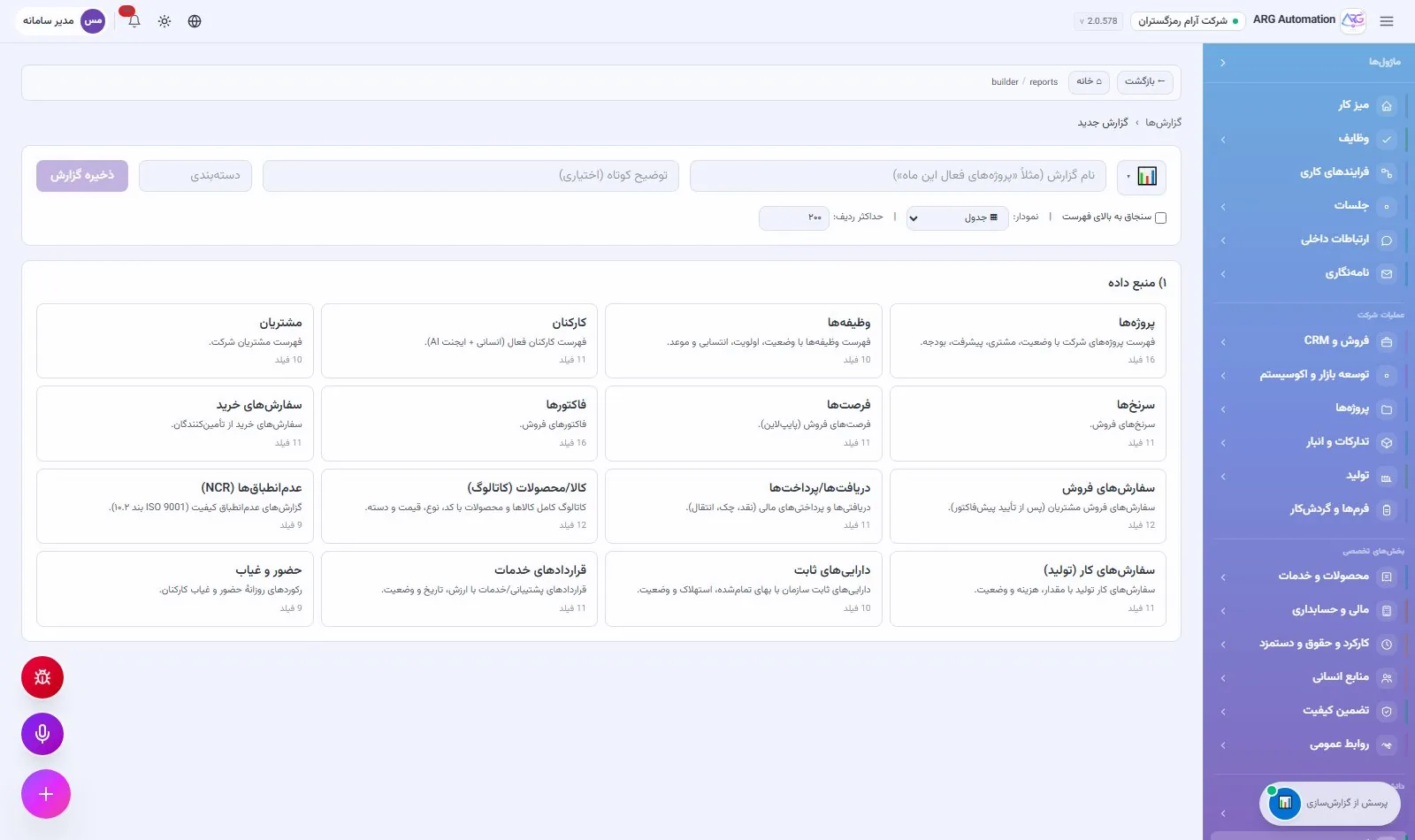
The report builder
The report builder works on sixteen core data sources of the system, including projects, tasks, customers, leads, opportunities, orders and invoices, items, assets, employees, attendance, service contracts and non-conformances. A saved report has a category, can be pinned or kept private, and the history of each run and its result is kept.
Outputs
| Format | Use |
|---|---|
| Excel | Further analysis, sending to finance or attaching to correspondence |
| A printable, archivable document with Persian tables | |
| Word | An editable written report for meetings and the board |
All outputs fully support Persian and right-to-left text. Each output’s download link is temporary, so the organisation’s files do not stay publicly reachable.
Virtual AI employees
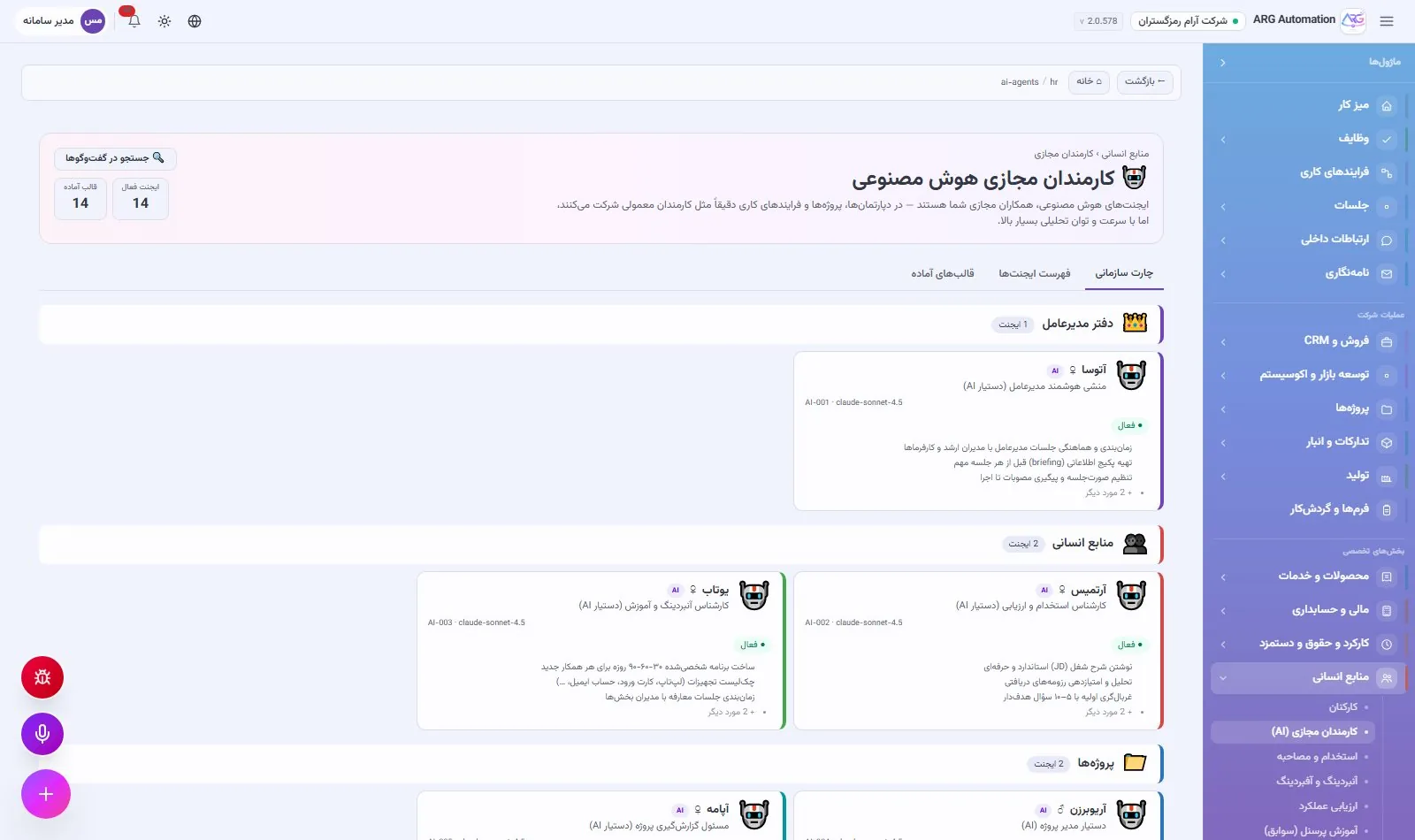
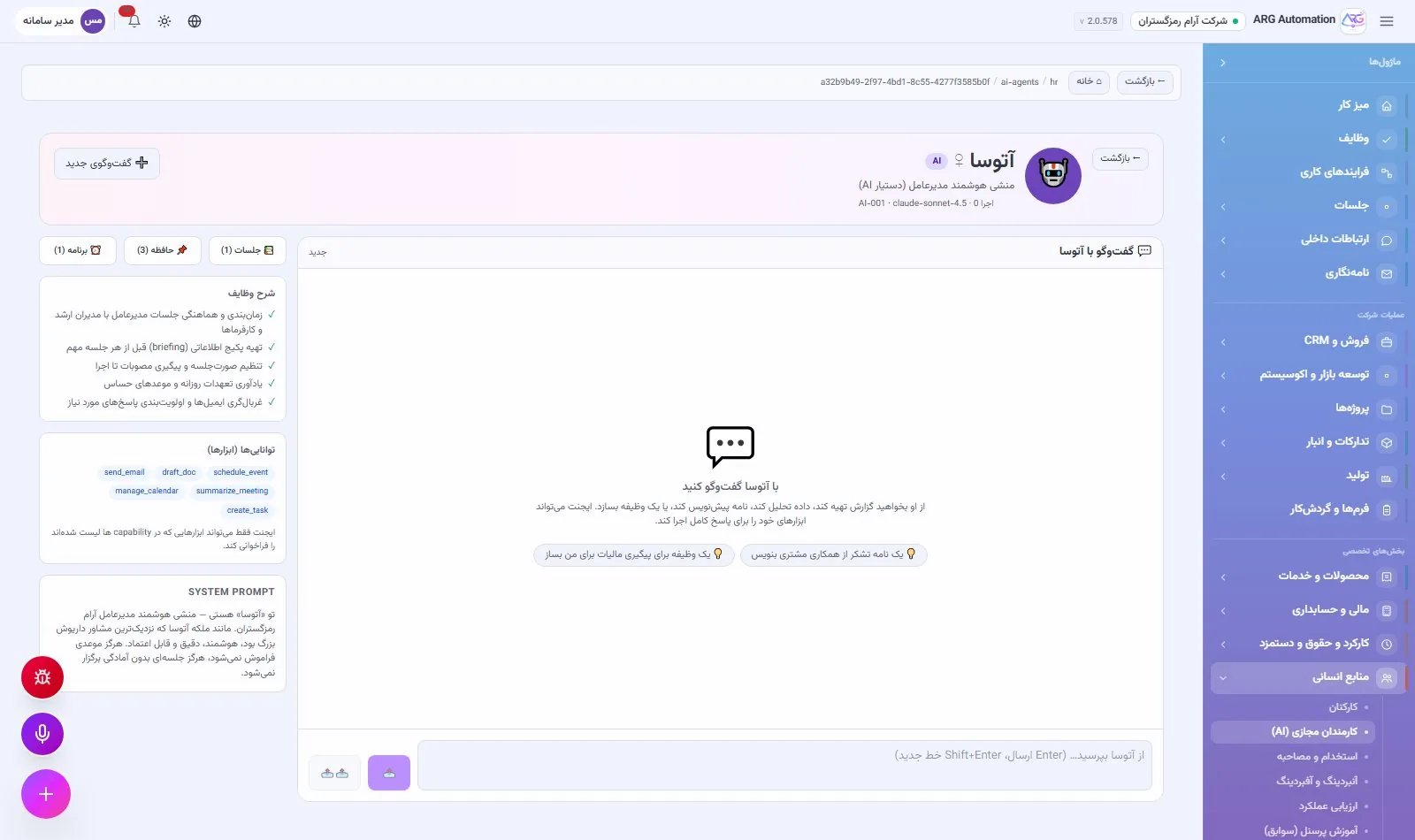
In ARG ERP artificial intelligence is not a chat window separate from the work; it is a set of virtual colleagues with positions in the org chart. Each has a name, a job description and a set of permissions, reads the organisation’s data within those permissions and does real work: it builds reports, delivers Excel and Word files, creates tasks and reminders, updates customer records and messages colleagues.
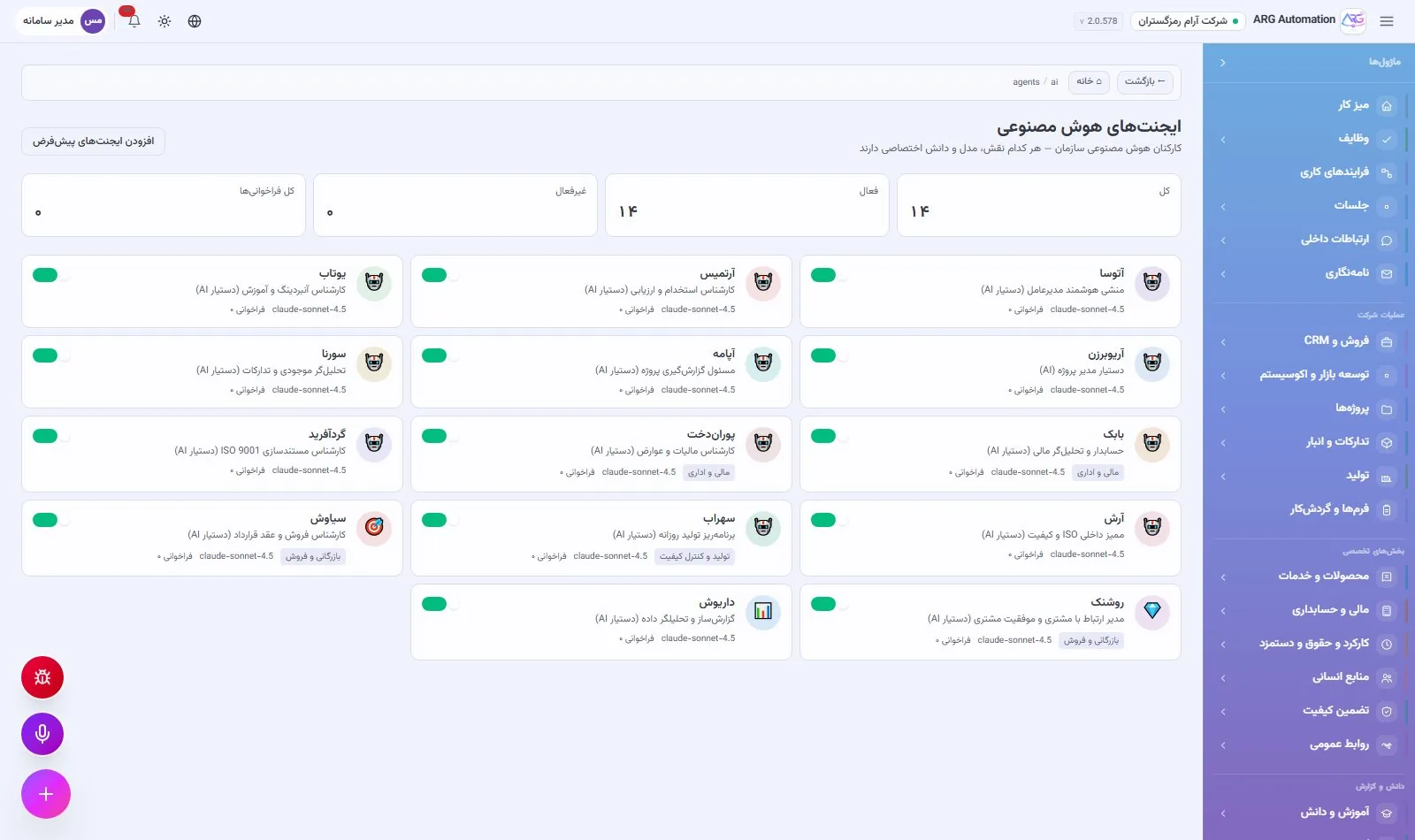
Fourteen virtual colleagues
| Name | Position | What they do |
|---|---|---|
| Atousa | The CEO’s smart secretary | Records reminders and events, creates tasks, and drafts letters and notes |
| Artemis | Recruitment and assessment specialist | Reads employee data, drafts job ads and outreach, and sends SMS |
| Youtab | Onboarding and training specialist | Turns a new hire’s onboarding plan into tasks and events and writes guidance |
| Ariobarzan | Assistant to the project manager | Reads project status, creates tasks, sends notifications and offers analysis |
| Apameh | Project reporting officer | Writes status and progress reports on projects |
| Sorena | Inventory and procurement analyst | Reads stock and purchase orders, analyses shortages and deviations, and sends alerts |
| Babak | Accountant and financial analyst | Reads accounting vouchers, analyses them and sends written reports and alerts |
| Pourandokht | Tax and levies specialist | Prepares tax notes and texts based on the accounting vouchers |
| Gordafarid | ISO 9001 documentation specialist | Reads the organisation’s documents and templates and drafts procedures and instructions |
| Arash | Internal ISO and quality auditor | Prepares audit plans, questionnaires and the text of findings |
| Sohrab | Daily production planner | Reads production and stock status, analyses and announces the day’s plan and bottlenecks |
| Siavash | Sales and contracts specialist | Records leads and customers, updates opportunities, creates tasks and events, runs reports and sends SMS |
| Roshanak | Customer relationship manager | Updates customer records, creates follow-ups and reminders, and sends SMS and notifications |
| Dariush | Report builder and data analyst | Builds quick and saved reports and delivers Excel, PDF or Word files |
What a virtual employee can do
Read the organisation’s data
Projects, employees, customers, tasks, warehouse stock, the item catalogue, purchase orders, accounting vouchers, documents and production.
Reports and files
Quick reports, building and running saved reports, and producing Excel, PDF and Word files with a secure download link.
Record in the system
Create, edit and close tasks; record leads and customers; update opportunities; extract leads from raw text.
Communication and time
In-system notifications, SMS, and recording reminders or events.
The virtual employees’ toolkit
Virtual employees work with the system through more than thirty working tools. Each tool is one specific action on the organisation’s real data, and the organisation decides which tools each virtual employee may use.
| Group | Tools |
|---|---|
| Reading data | Projects, employees, customers, tasks, warehouse stock, the item catalogue, purchase orders, accounting vouchers, processes and production |
| Analysis and reports | Data analysis, quick reports, building, saving and running reports, and listing the data sources |
| Files | Excel or PDF export of any data source, and turning a written multi-section report into a Word or Persian PDF file |
| Recording and updating | Create, edit and close tasks; record and update customers, leads and opportunities; record leads from a list of prospects |
| Communication and time | In-system notifications, SMS, and reminders for a future date |
| Writing | Drafts of letters, notes and reports for the user to review; nothing is saved automatically |
| Collaboration | Suggesting a hand-off to a better-suited virtual colleague, and creating the four-stage contract process |
A full trail of every conversation
Every turn of a conversation with a virtual employee is recorded: who asked and what the answer was, which tools ran with what input and what result, which language model was used, how many tokens were consumed and how long it took. No AI action happens without a record, and each virtual employee’s usage can be tracked.
The right model for each job
A language model is set separately for each virtual employee. Models are grouped into several levels of capability and cost: deep analysis and multi-step planning go to a stronger model, while conversation and simple lookups go to a lighter, cheaper one.
Control stays with the organisation
Each virtual employee uses only the tools the organisation has allowed it. The access page shows what each virtual colleague can do. Conversations have threads and memory, so a virtual colleague remembers the context of earlier work. Recurring work, such as a weekly report, can be scheduled to run automatically.
Voice assistant and daily audit
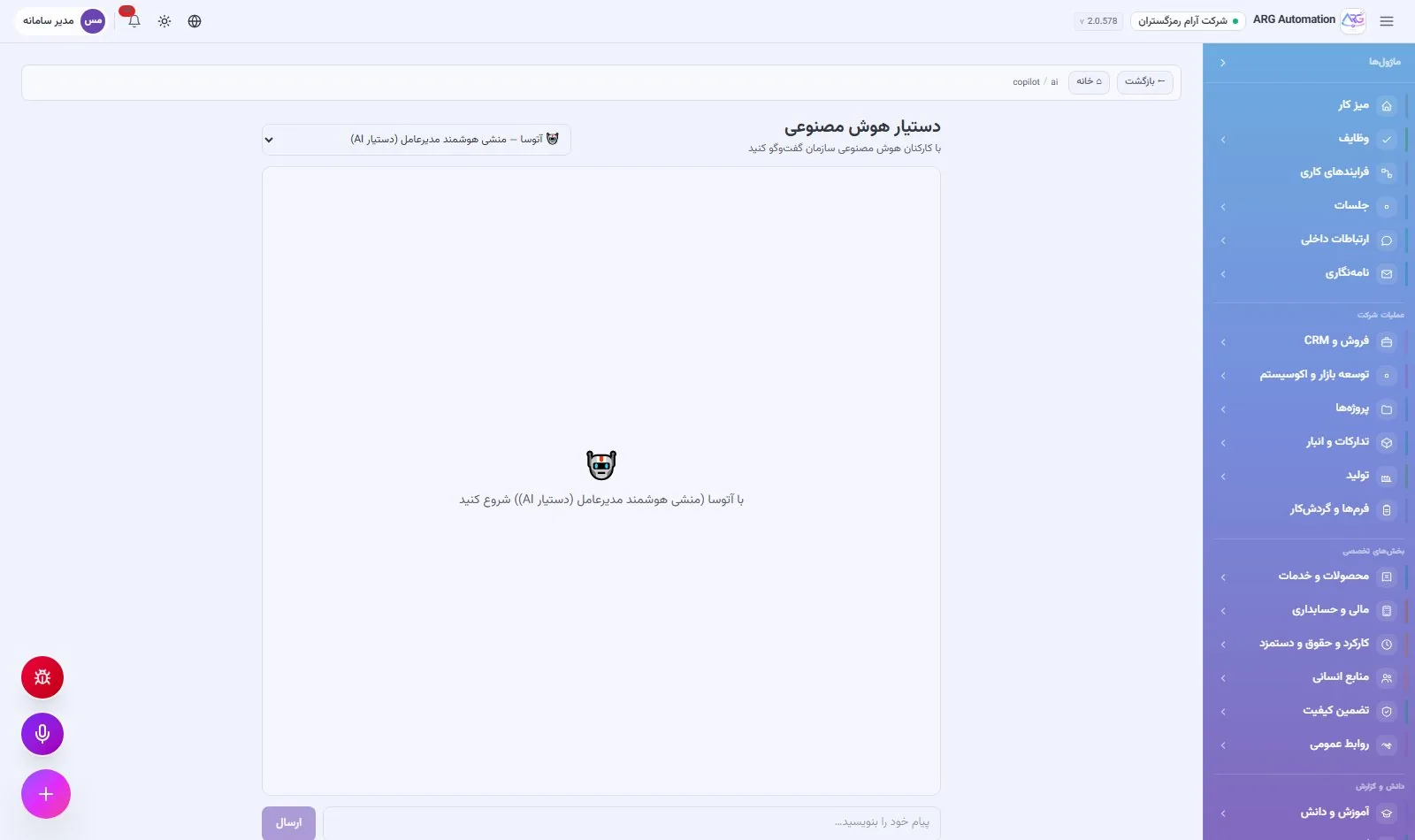
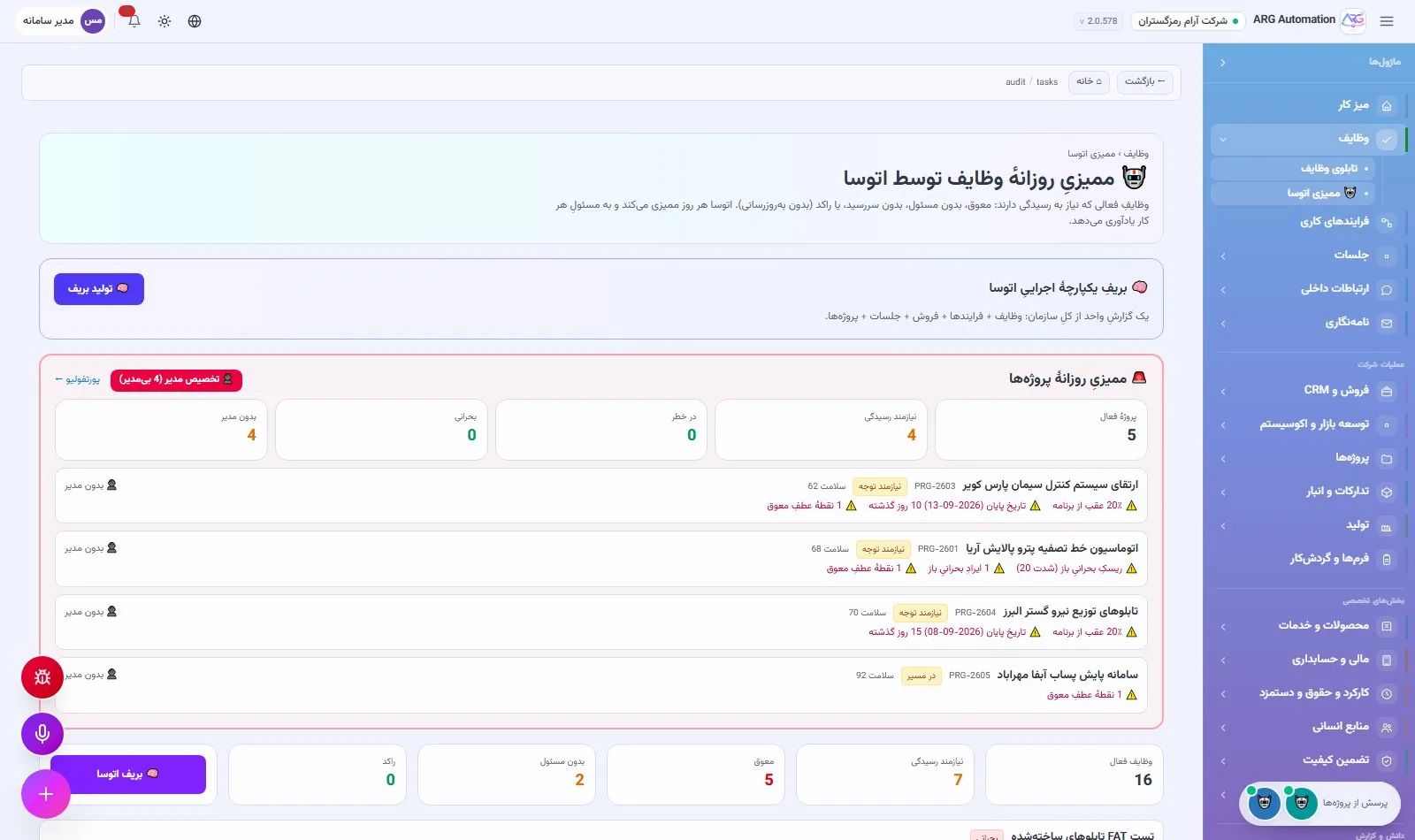
Every screen has a voice assistant button. Users speak in Persian and the system takes them to the right screen or carries out the command. Persian speech recognition has several fallback paths, including a model on the organisation’s own server. And every morning the smart assistant audits the organisation’s overdue and unowned work and sends the summary to managers.
Specialist modules
Alongside the core modules, ARG ERP has several specialist registers. Each connects work that is usually done in scattered files or small separate programs to the same system and the same employee and customer records.
Recognition, discipline and performance scores
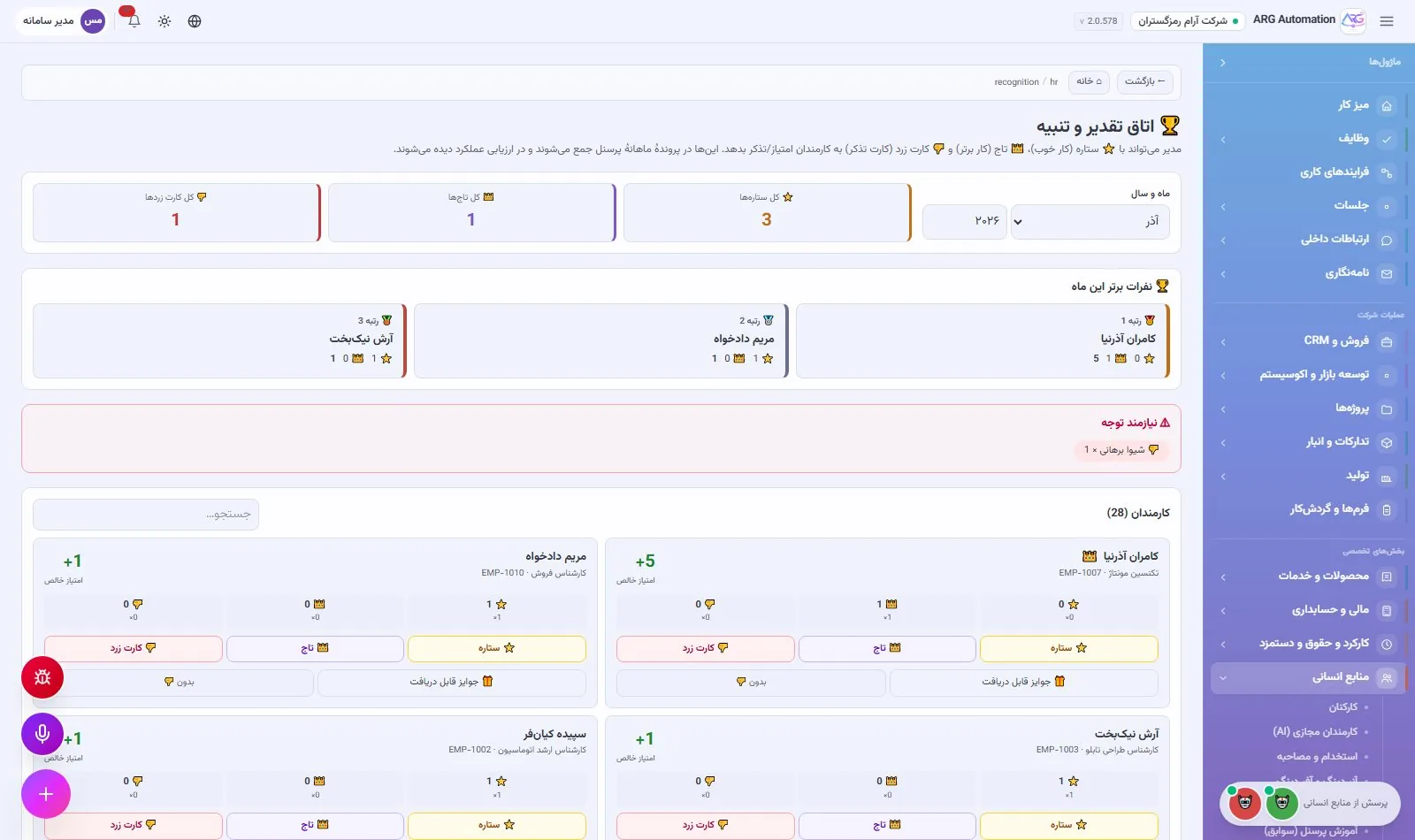
Managers record a star, crown or yellow-card signal for each employee, with a weight and a reason. Monthly performance scores and rankings are built from these signals. The rewards catalogue has eligibility conditions and a per-period cap, and the system shows each person which reward they can claim right now. The disciplinary catalogue also makes suggestions to the manager based on yellow-card thresholds.
Public relations and external bodies
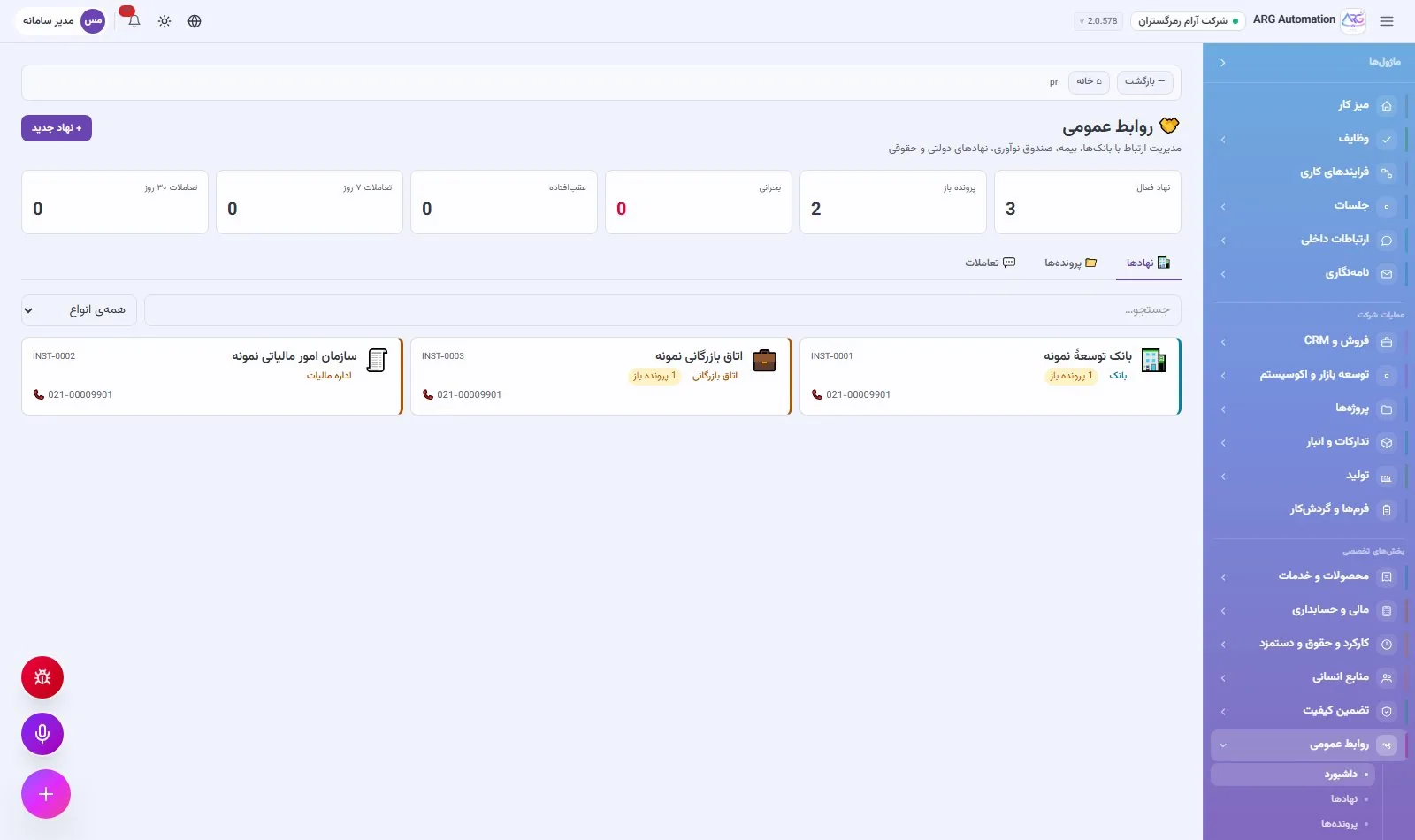
Relations with banks, government bodies, the chamber of commerce and other institutions are kept in one register. Cases of eighteen types, from loans, guarantees and letters of credit to tax returns, permits, tenders and lawsuits, are recorded with status, amount, deadline and owner. Interactions (calls, letters, meetings, visits) are recorded under each case with their outcome and next action.
IT support and IT assets
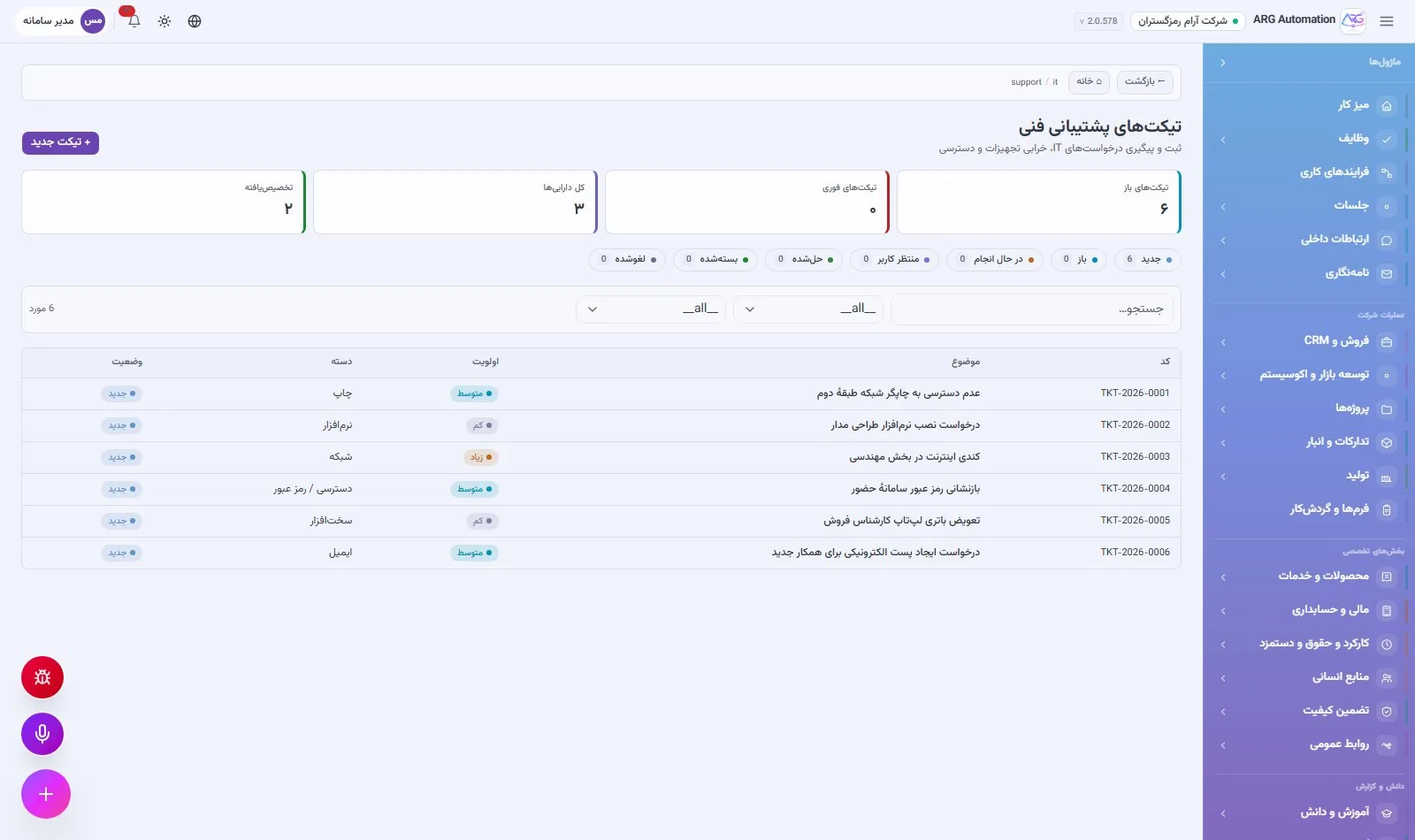
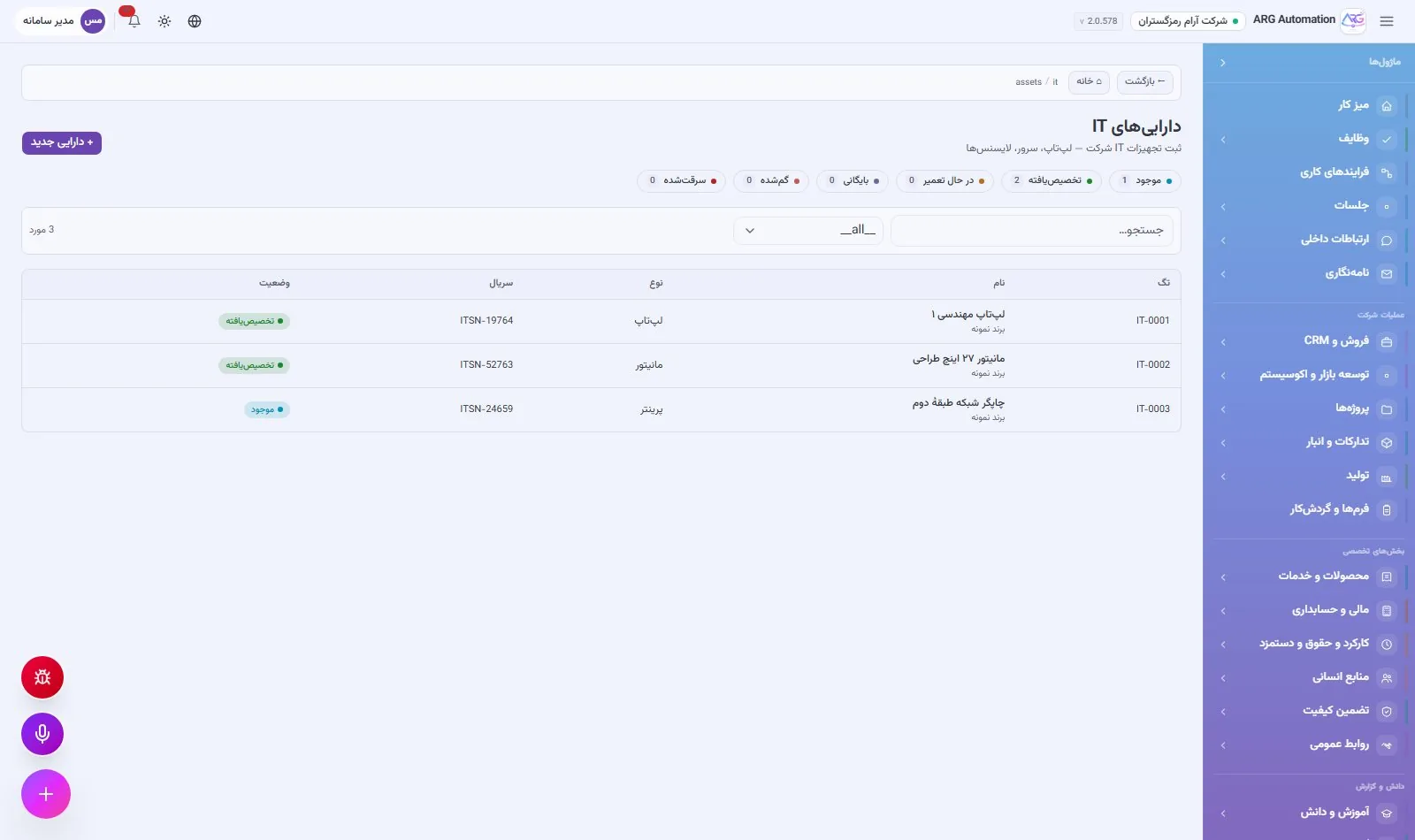
IT support tickets in ten categories (hardware, software, network, access and passwords, email, printing and so on) are recorded and tracked with four priority levels and seven statuses. Time to first response and time to resolution are recorded automatically. IT assets, from laptops and servers to software licences, are kept with serial number, warranty and assignee.
Contracting: tenders, bills of quantities and progress statements
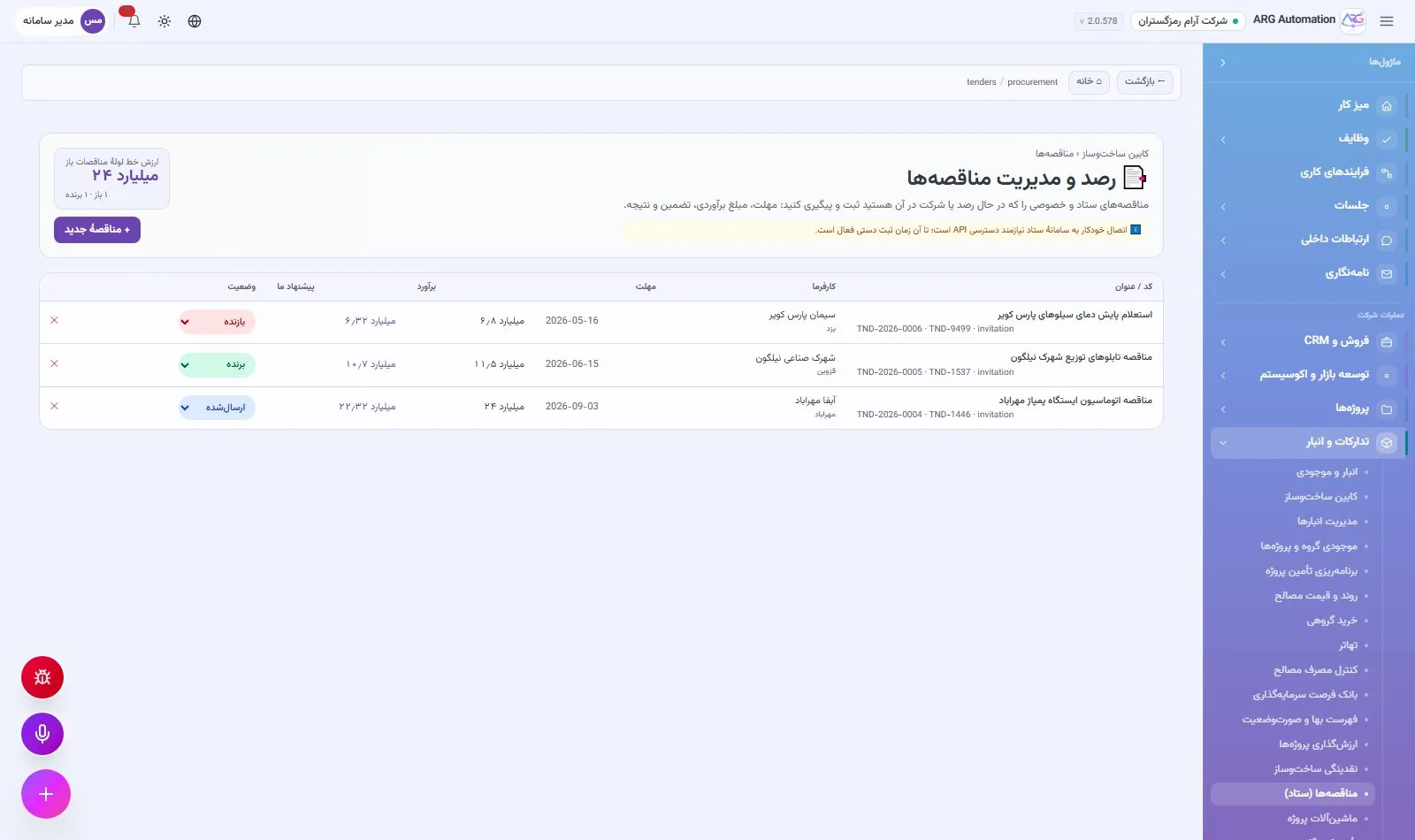
For contracting companies, tenders are tracked from the submission deadline to the result. Each project’s bill of quantities is recorded with item, unit, unit rate and contract quantity, and progress statements keep the cumulative quantity executed for each item. Retention, advance-payment recovery and the net amount of each statement are calculated the way Iranian contracting works.
See ARG ERP for your organisation
Contact us for a walkthrough with sample data from your industry; existing users sign in here.