Architecture & workflows
How the system is built, how modules share one dataset, the access model and the notification engine — and the core processes from order to cash, purchase to stock, production, hire to pay, projects, letters and approvals.
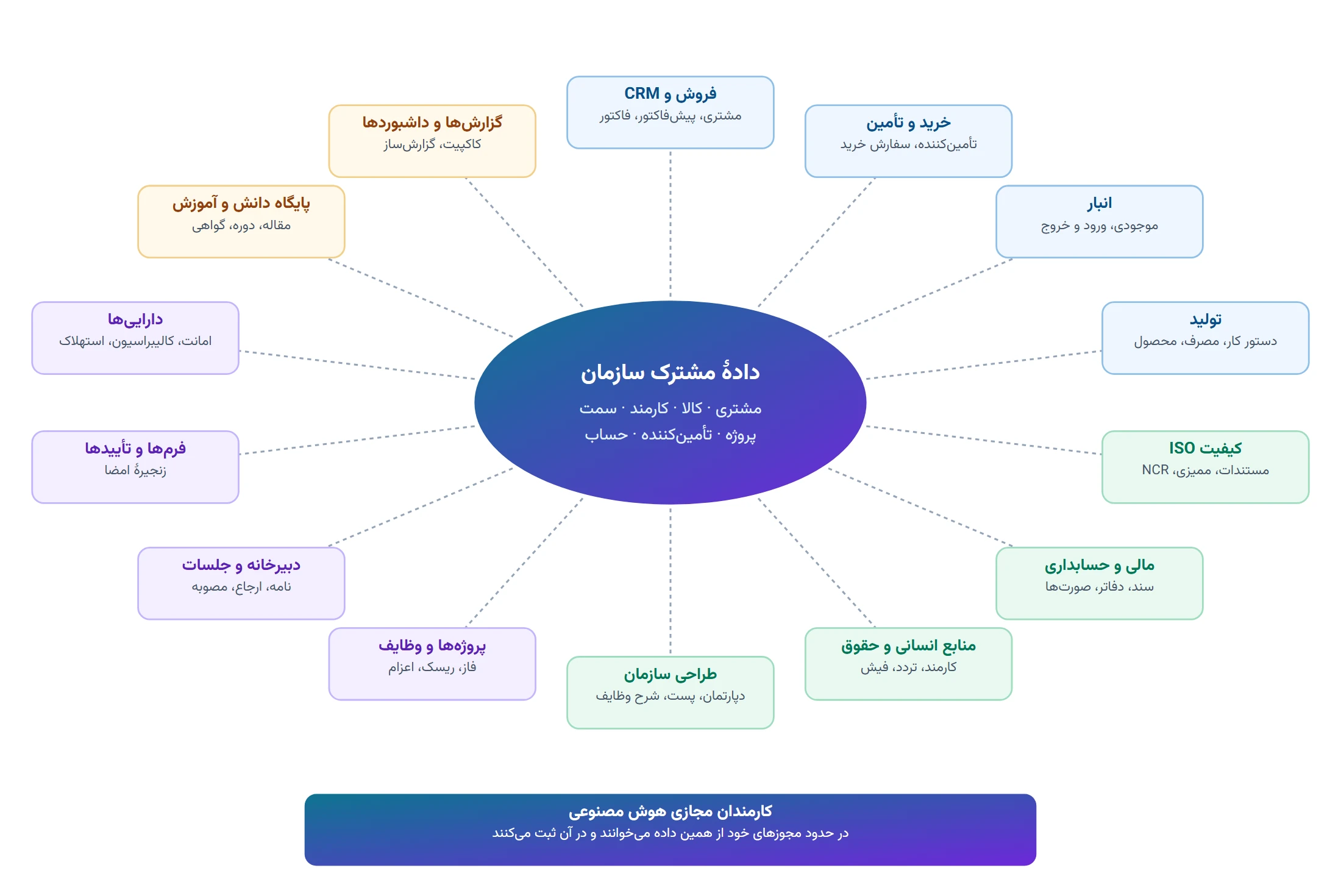
Architecture and relationship diagrams
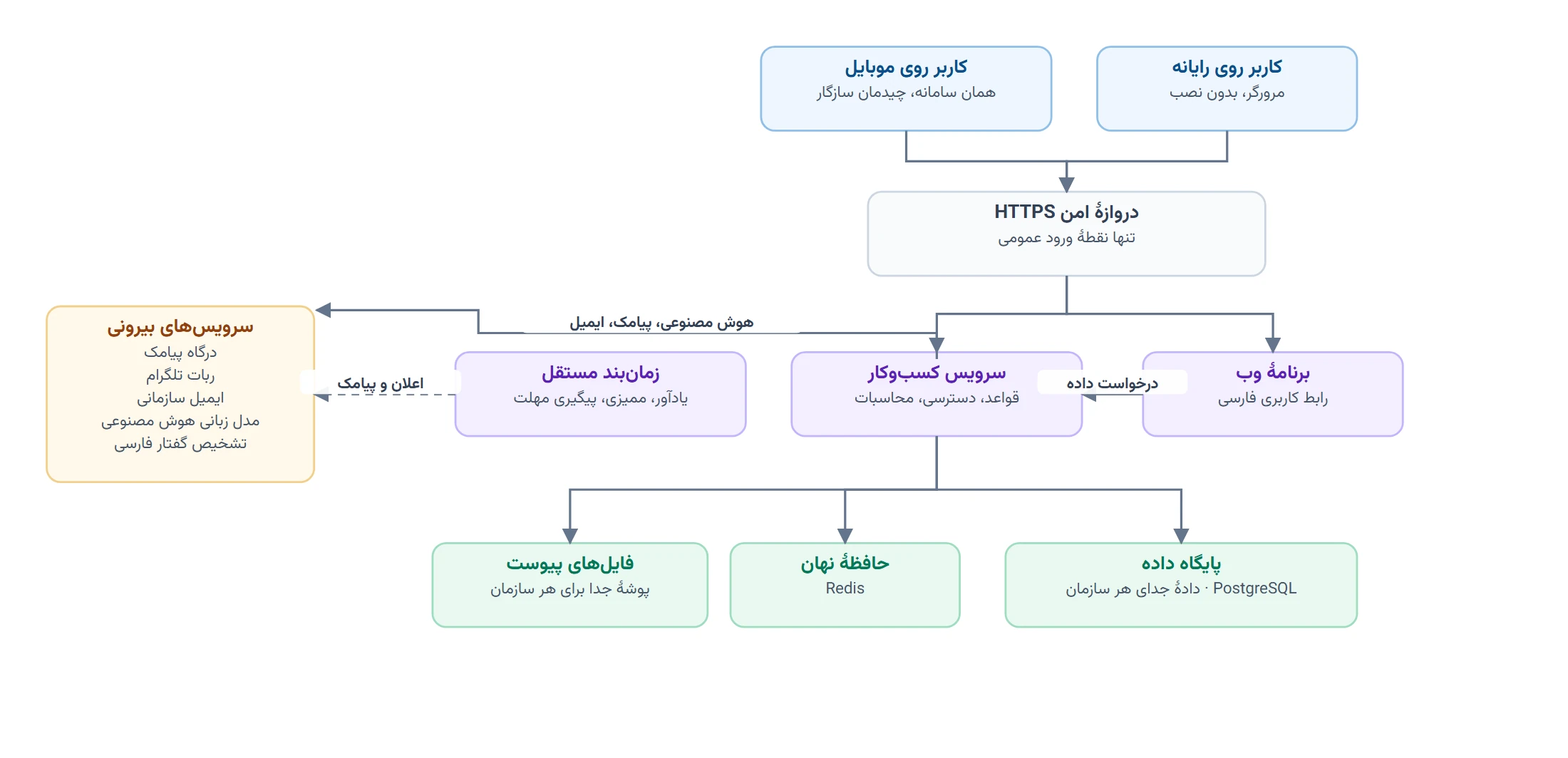
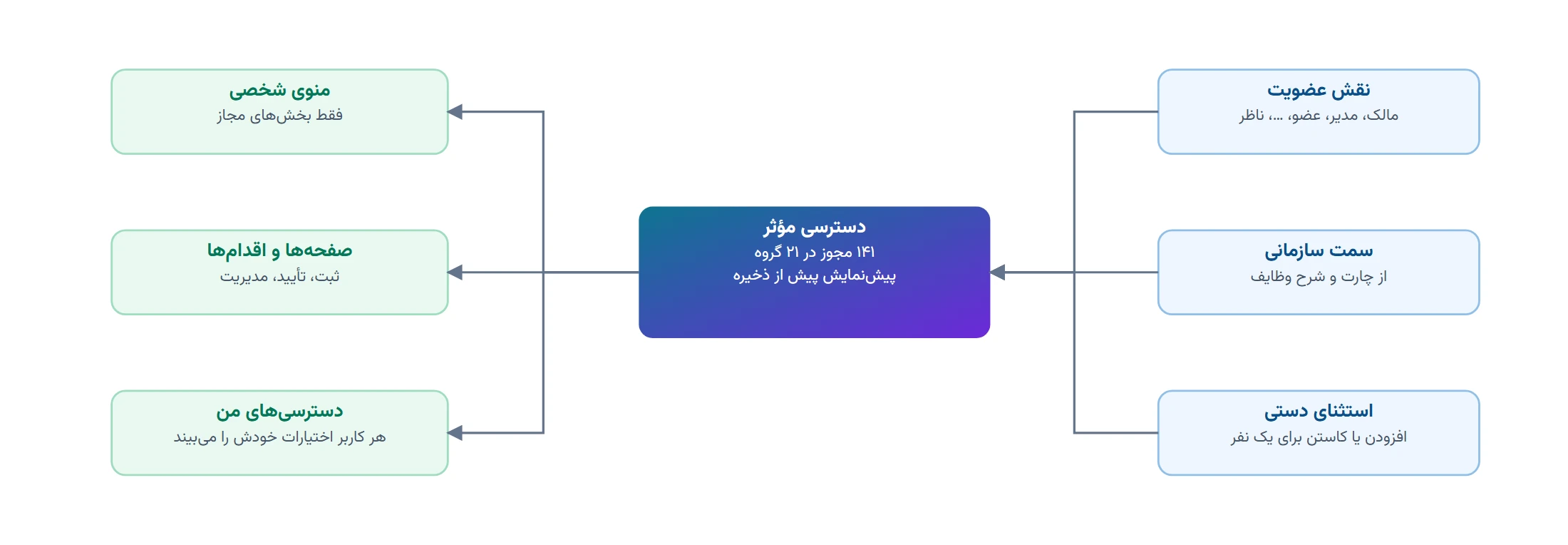
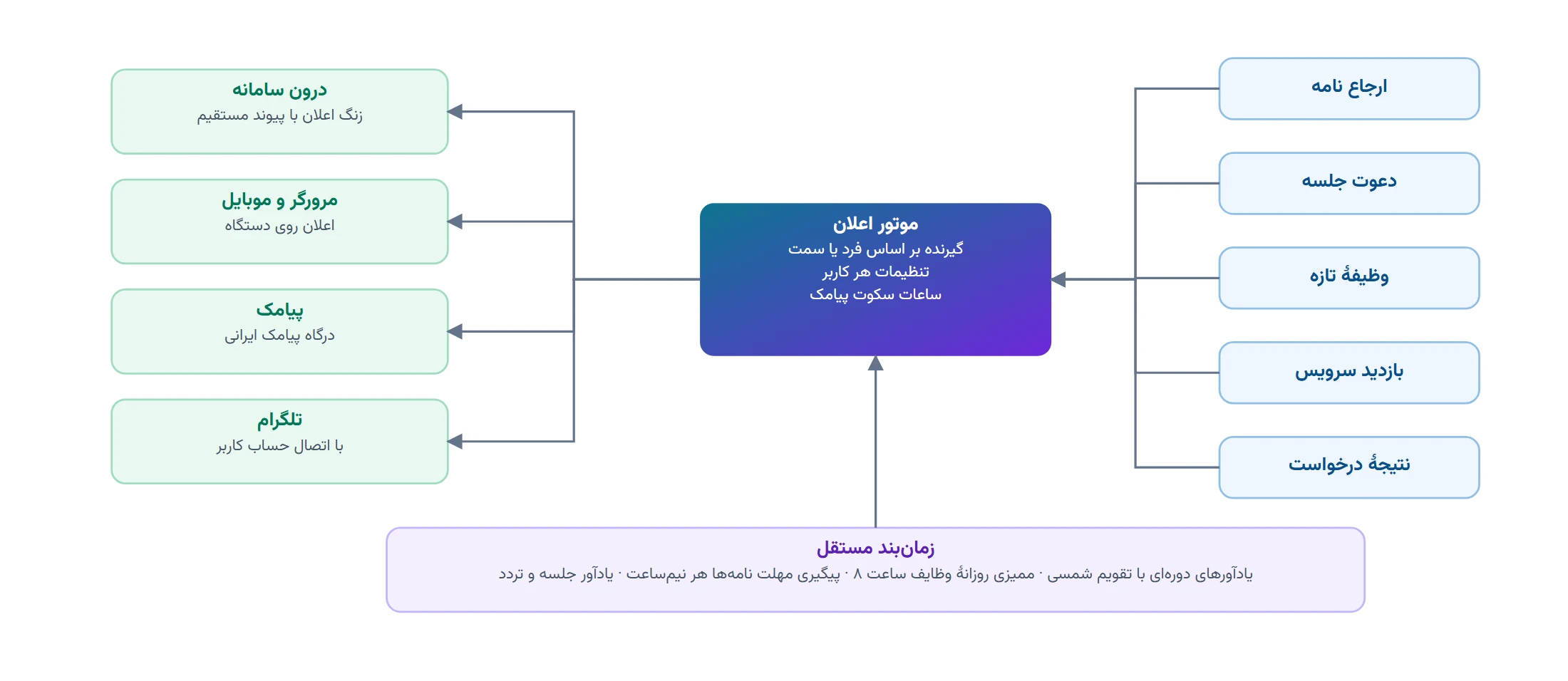
Before the details, this chapter uses a few diagrams to show how ARG ERP is built, how the modules connect, how each person’s access is determined and how notifications reach people.
Automatic flows between modules
| Event | From | To | Effect |
|---|---|---|---|
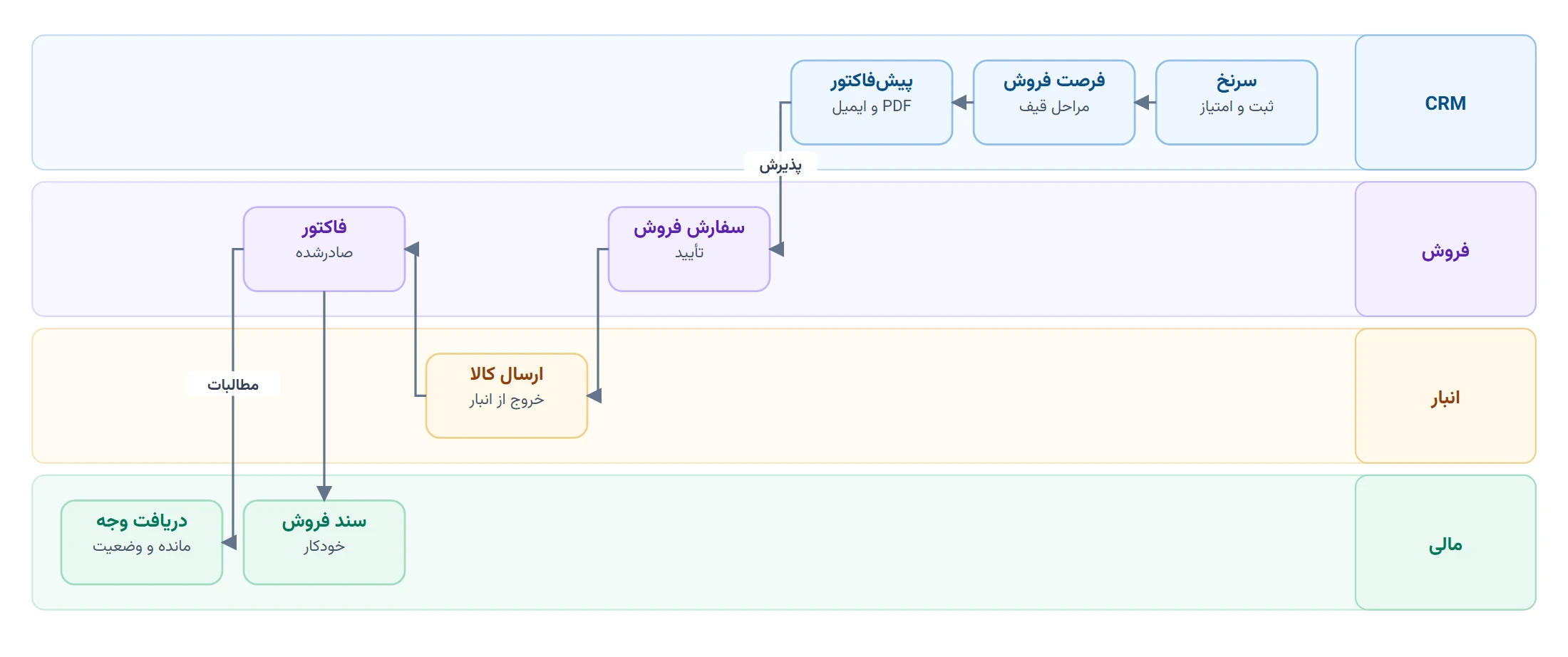
| Sales order shipped | Sales | Inventory | Goods issued from stock and stock reduced |
| Invoice issued | Sales | Finance | Sales voucher posted (once the chart of accounts is set up) and receivable created |
| Payment recorded | Sales | Invoice | Invoice balance and status updated |
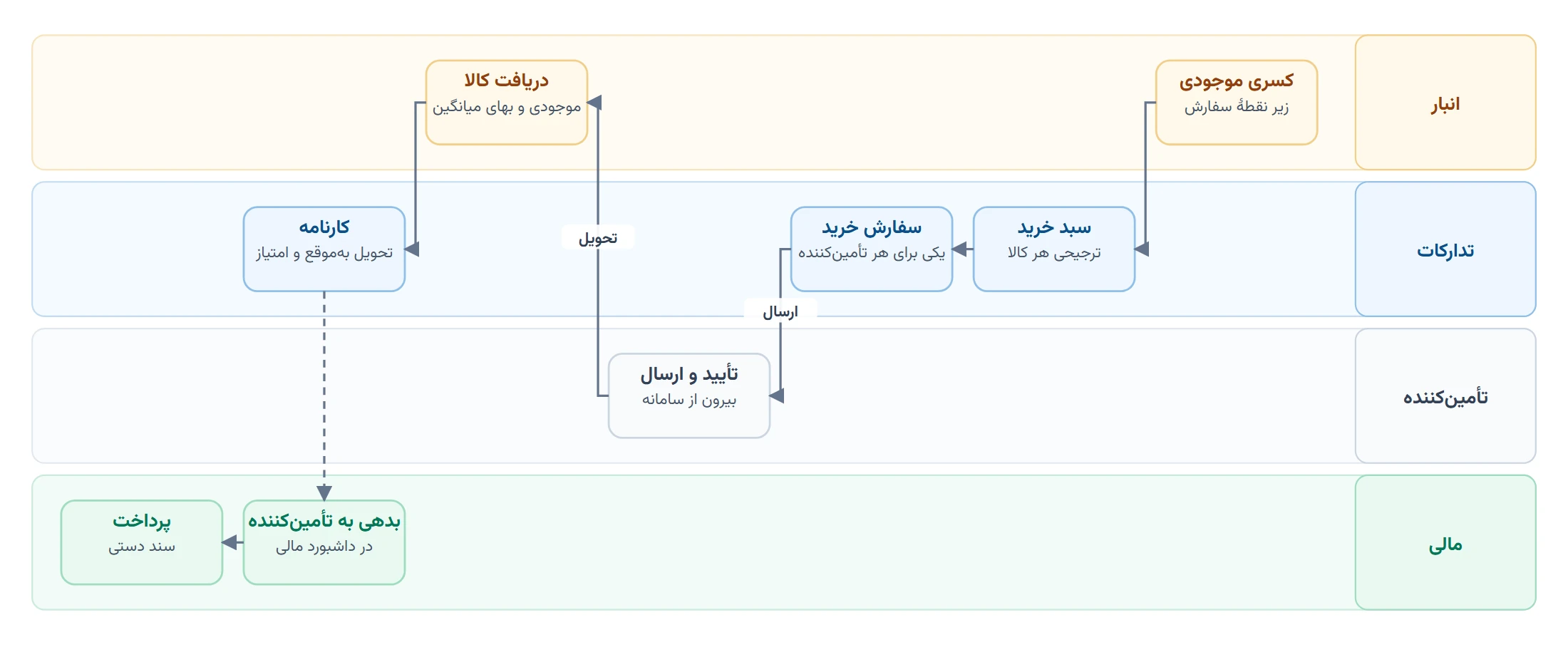
| Stock shortage | Inventory | Purchasing | Draft purchase order for the preferred supplier |
| Purchased goods received | Purchasing | Inventory | Stock increased and average cost recalculated |
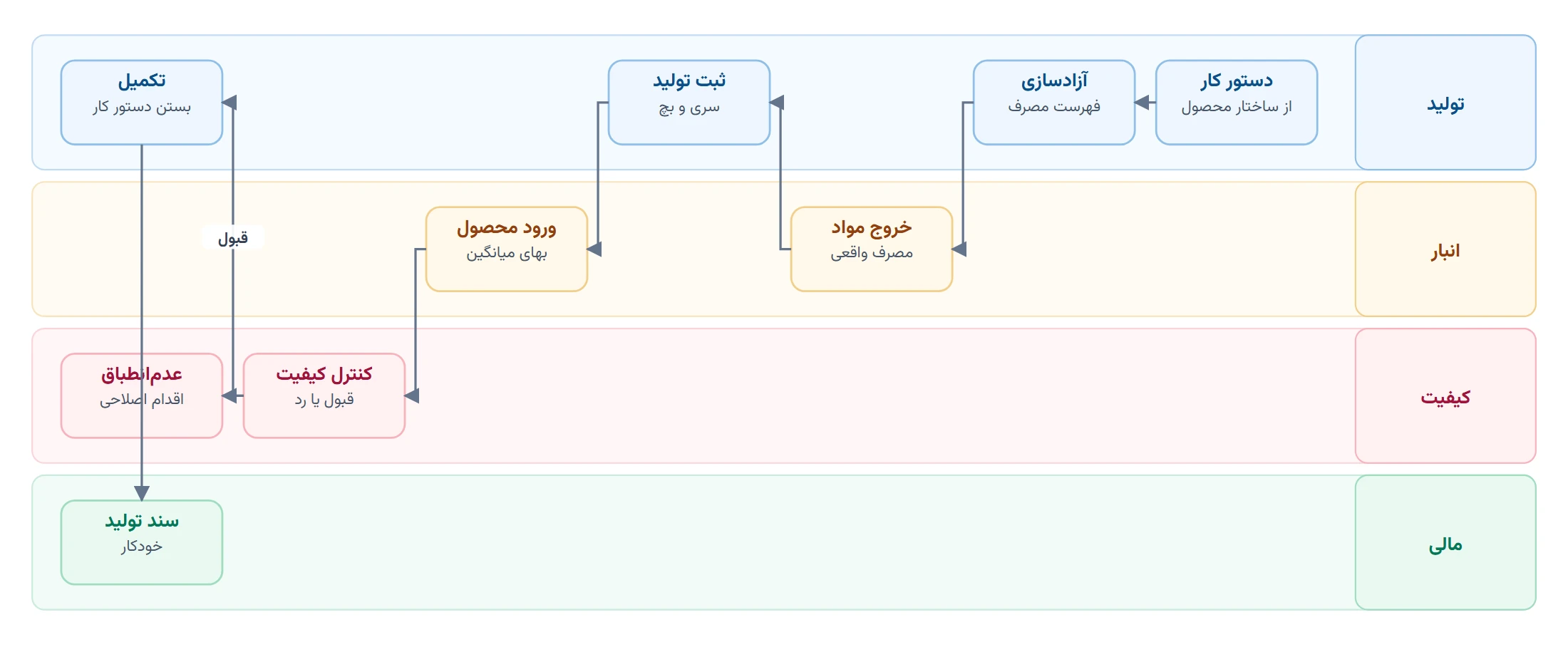
| Consumption and output recorded | Production | Inventory | Materials issued and product received at full cost |
| Quality control rejection | Production | Quality | Non-conformance report opened automatically |
| Work order completed | Production | Finance | Production accounting voucher posted |
| Meeting decision | Meetings | Tasks | Decision turned into a trackable task |
| Kick-off meeting | Meetings | Projects | Meeting converted into a project |
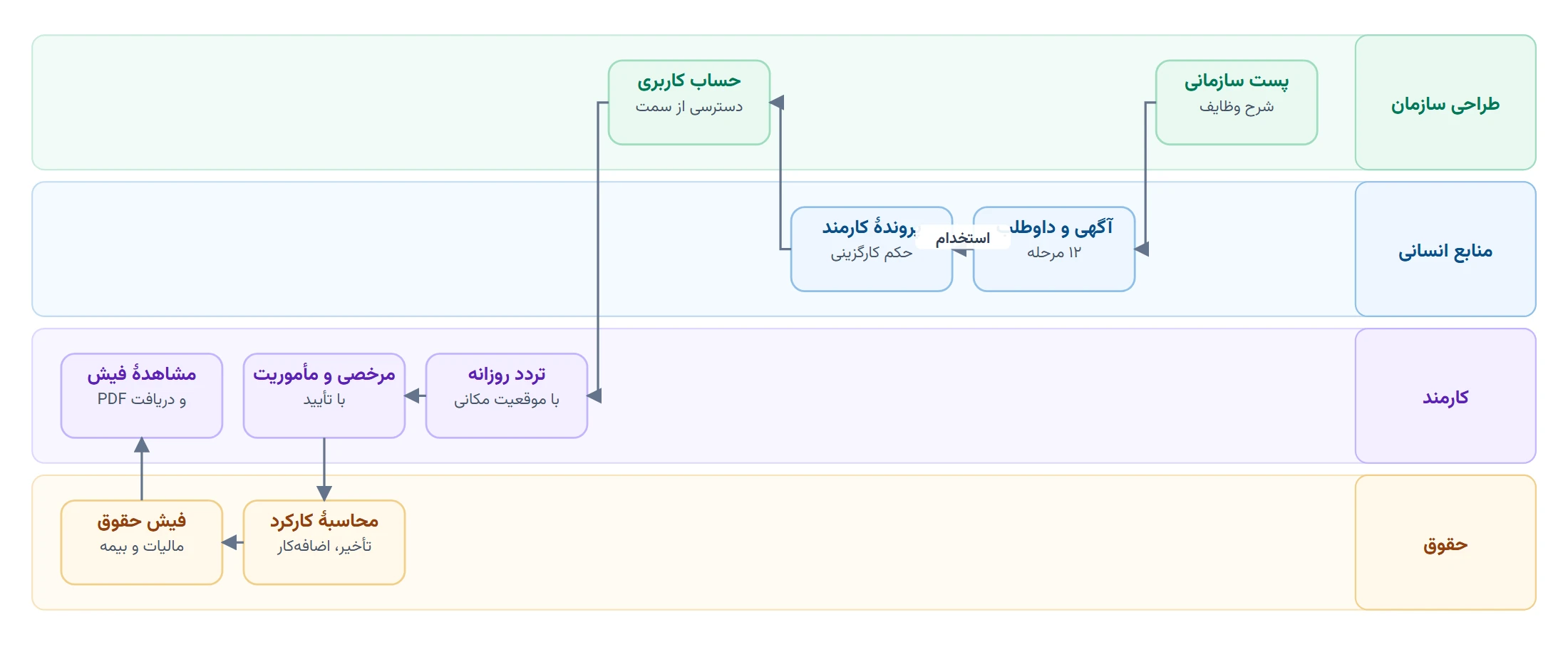
| Leave approved | HR | Attendance | Leave recorded in the employee’s attendance calendar |
| Process step activated | Processes | Tasks | Tasks of that step created automatically |
| User’s position | Organisation design | All modules | User’s menu and access determined |
Core process workflows
The diagrams in this chapter show the path of each core process through the system, from start to finish and by the department that carries out each step. Each column is a step; the diagrams follow the Persian reading direction, so steps run from right to left.
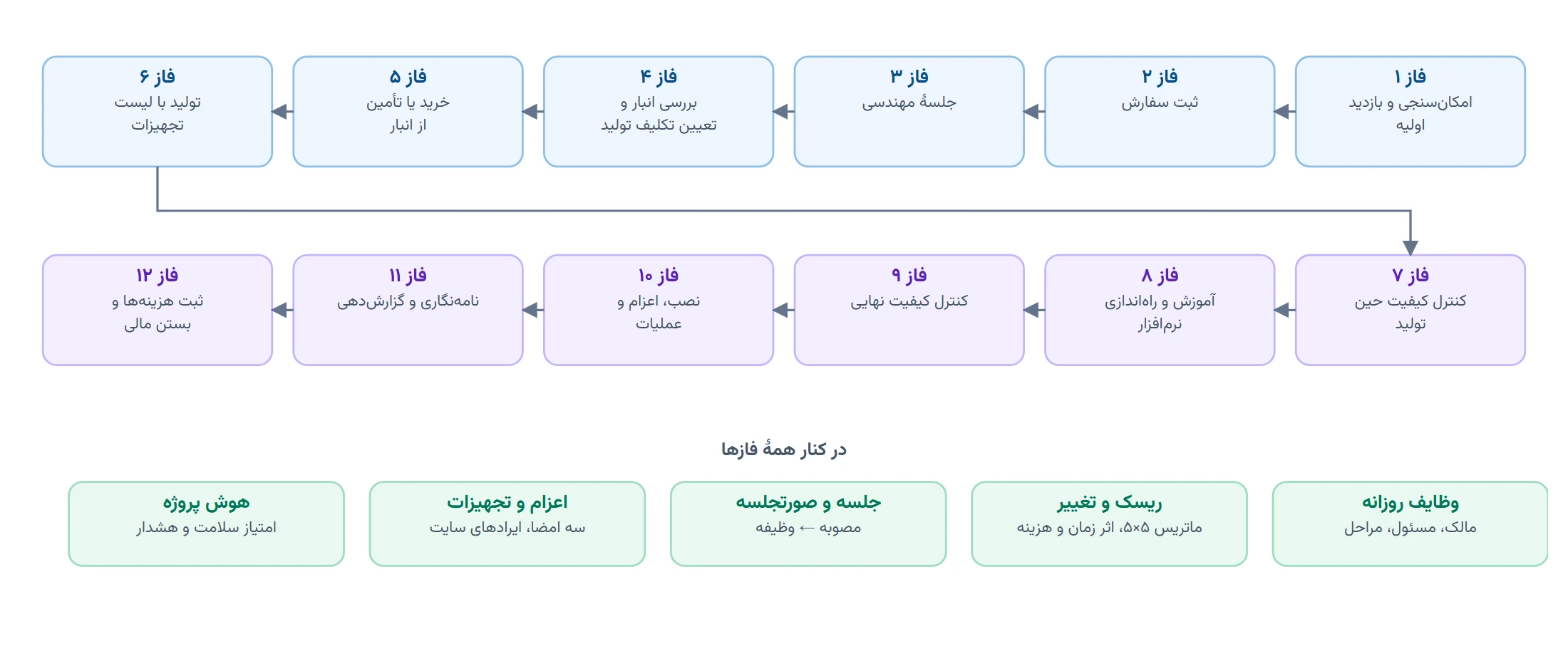
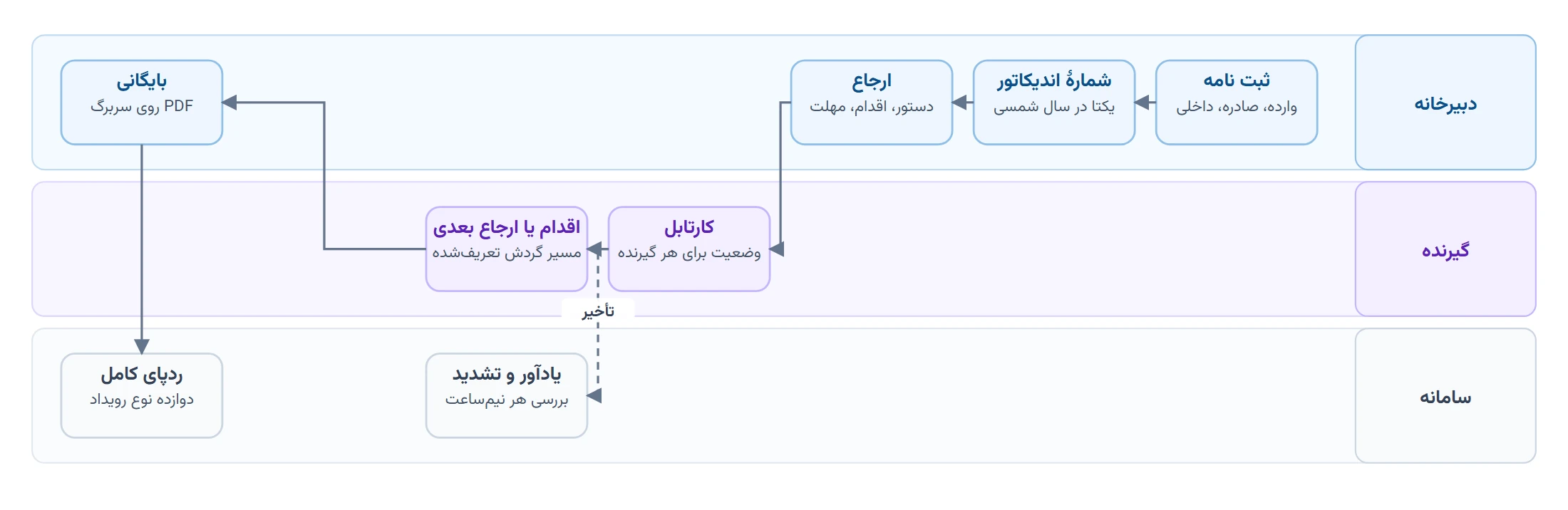
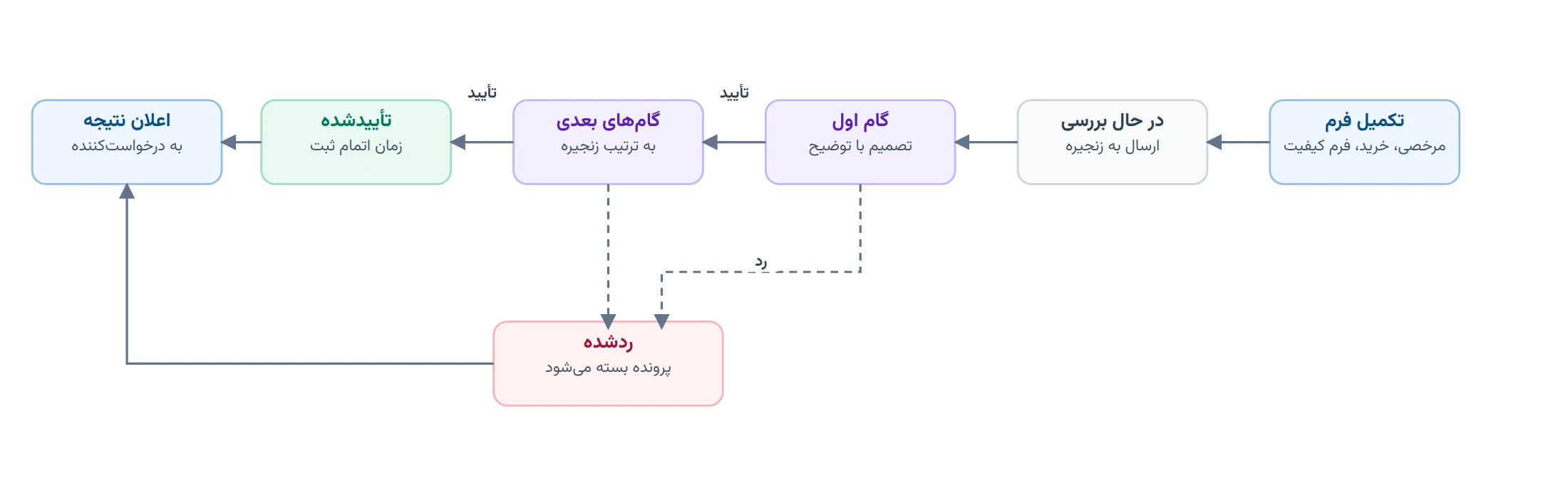
Status cycle of the main documents
Every document in the system has a defined status and moves only along its defined path. Side statuses such as cancelled or on hold are available from several points along the way.
| Document | Main path | Side statuses |
|---|---|---|
| Lead | New→Contacted→Qualified→Converted | Unqualified Lost |
| Opportunity | Needs analysis→Evaluation→Quote sent→Negotiation→Won | Lost |
| Quote | Draft→Sent→Accepted | Rejected Expired Revised |
| Sales order | Draft→Confirmed→In production→Ready to ship→Shipped→Delivered→Invoiced→Completed | On hold Cancelled |
| Invoice | Issued→Partly paid→Paid | Overdue Cancelled |
| Purchase order | Draft→Sent→Confirmed→Partly received→Received→Invoiced→Paid | On hold Cancelled |
| Work order | Draft→Released→In progress→Awaiting QC→QC passed→Completed→Closed | On hold QC failed Cancelled |
| Non-conformance | Open→Under investigation→Action assigned→Pending verification→Closed | Rejected |
| Corrective action | Proposed→Approved→In progress→Completed→Verified | Rejected |
| Knowledge article | Draft→In review→Published→Archived | — |
See ARG ERP for your organisation
Contact us for a walkthrough with sample data from your industry; existing users sign in here.