Logic, alarms & simulation
Alarms and notifications on limits with hysteresis, no-code automation with rules, schedules, scenarios and state machines, and simulators to test before real equipment is connected.
Alarms, Limits, and Notifications
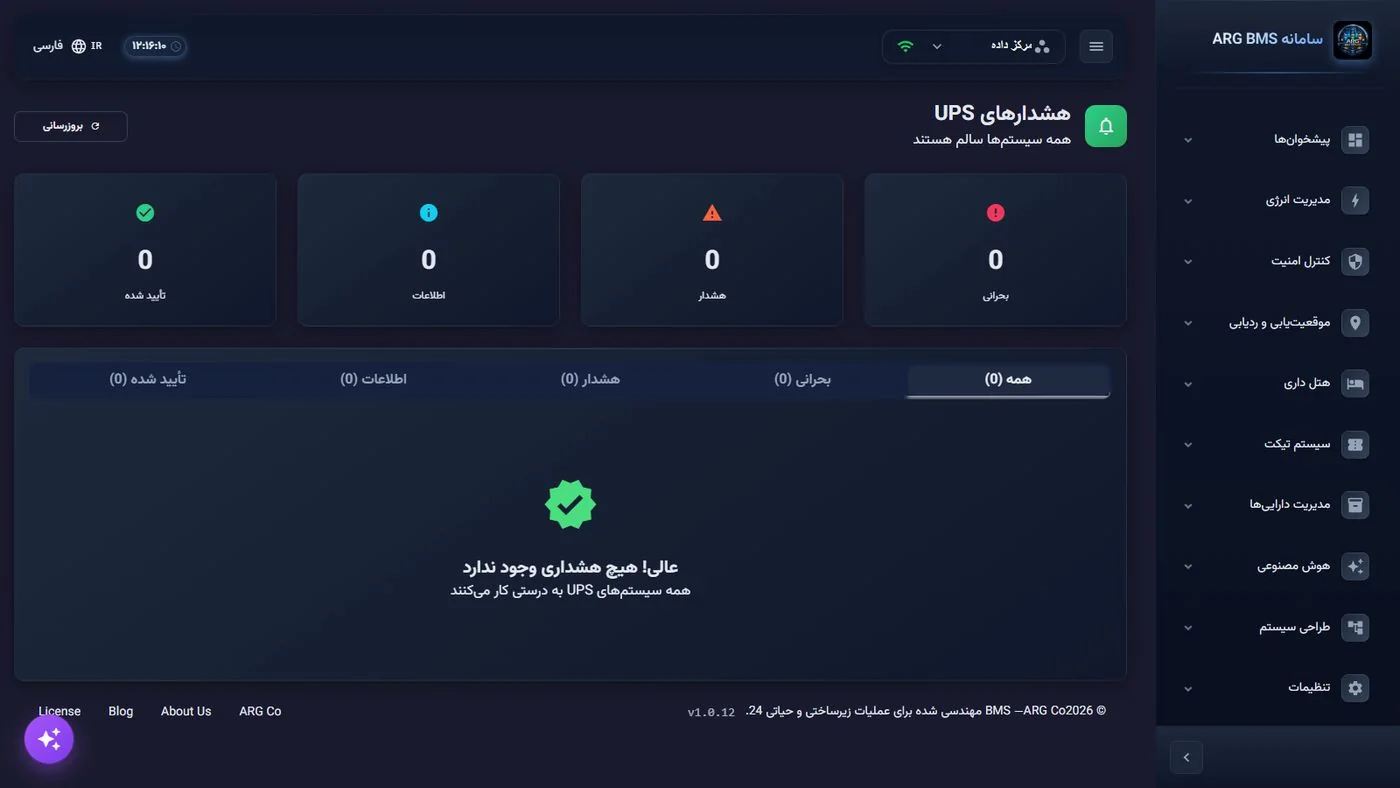
Each point has five states: inactive, normal, caution, danger, error (see the diagram in Chapter 2). State is calculated from four-level limits (LowLow / Low / High / HighHigh) with hysteresis, so that oscillation at the boundary does not trigger repeated alarms. Alarms reach both the dashboard and the responsible personnel through notification channels.
Alarm Sources
- Value crossing limits (with configurable delay and bandwidth per point)
- Device disconnection / reconnection; stale data
- Monitoring thresholds on protocol mappings with critical/warning severity and deduplication
- Logic events: rule execution, state changes, script execution, manual commands
Notification and Follow-up
- Channels: SMS, email, Telegram, Webhook; channel combinations per point
- Recipient groups, message templates, tiered escalation policy
- Alarm acknowledgment by the operator, logged in the report
- A complete event log with 15 event types and four severity levels: user login/logout, settings changes, manual commands, rule execution, state changes, device connection/disconnection, service start/stop…
Logic Engine and Automation
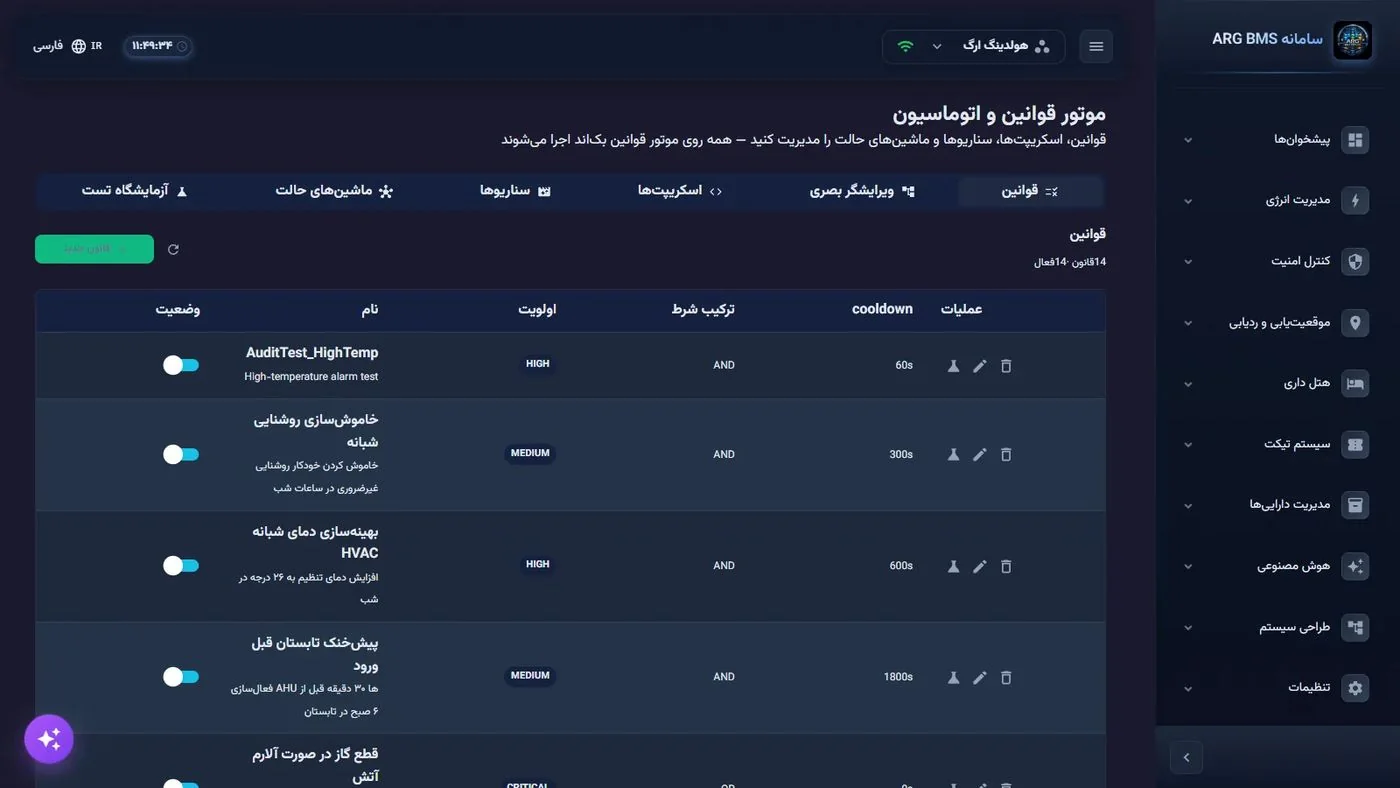
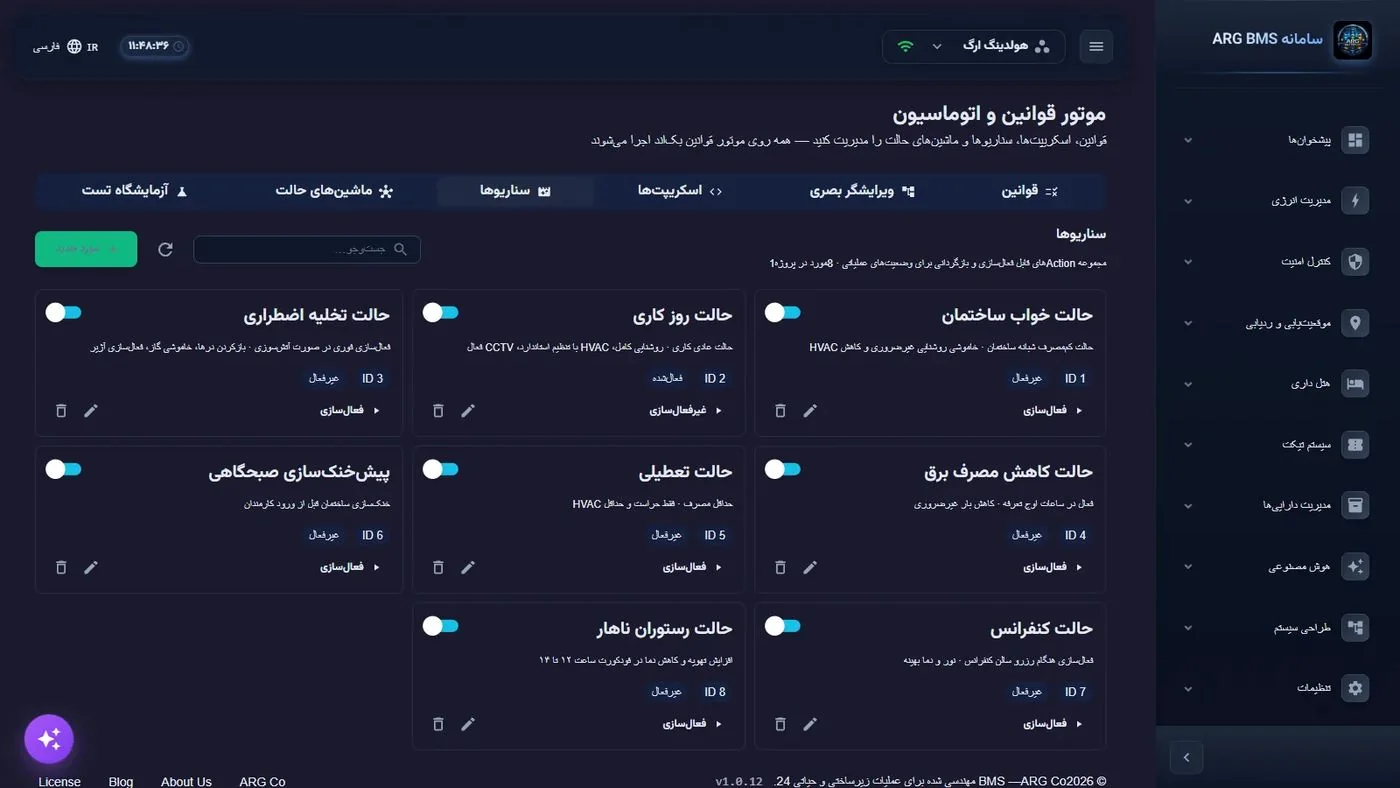
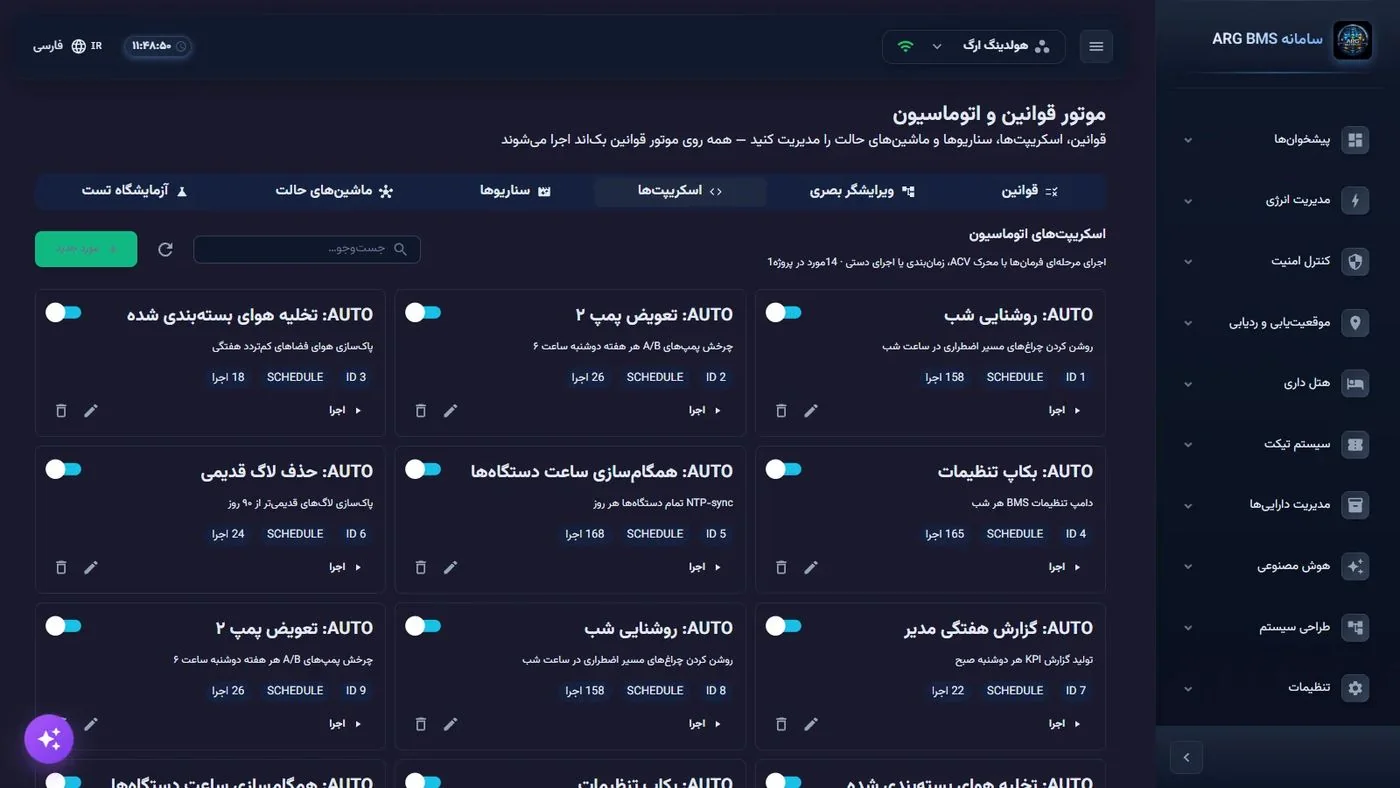
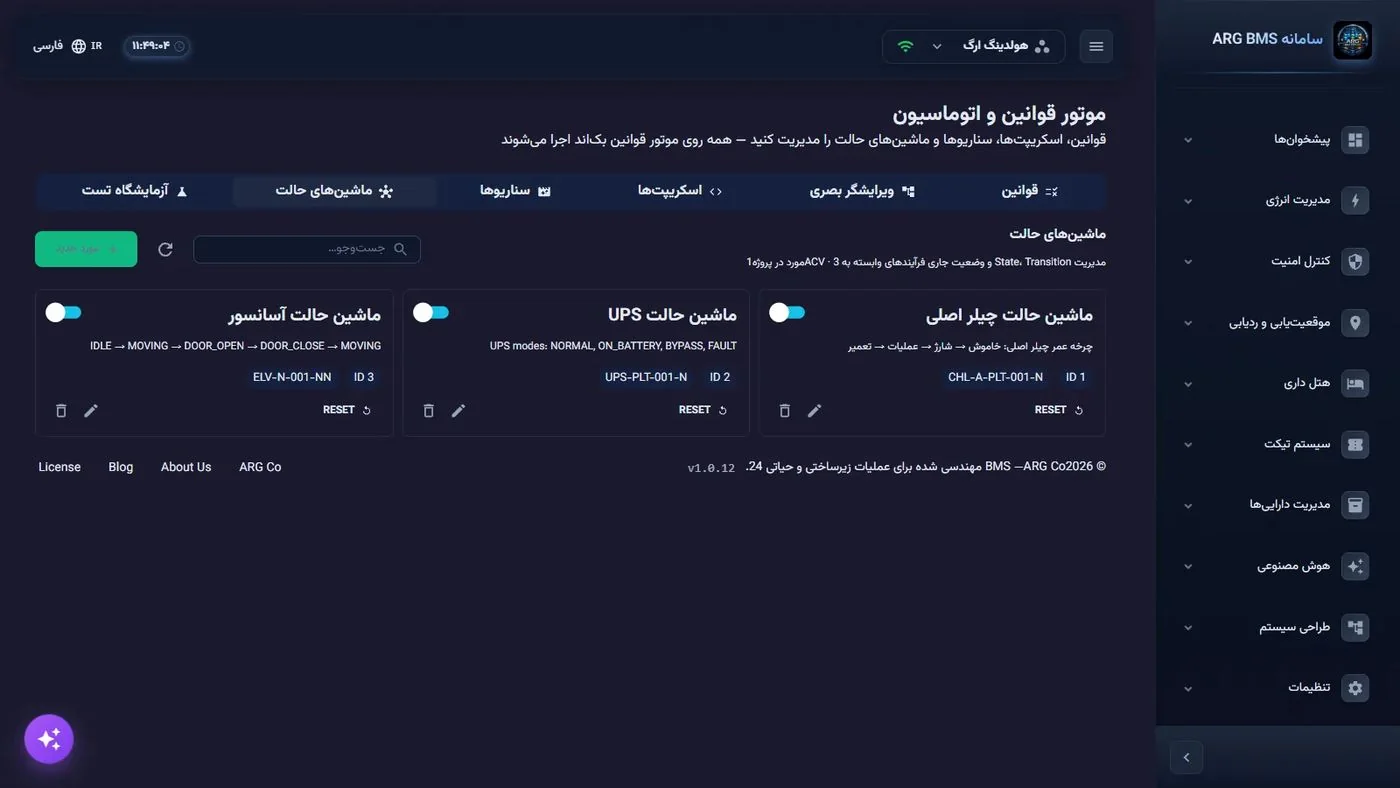
No-code automation, with five complementary mechanisms that all run on the server and react to real-time point changes. All of them are built from the user interface or with the help of the intelligent assistant, and can be tested before activation. Action execution sits outside the engine lock, so slow actions do not block evaluation.

| Mechanism | What It Does | Example |
|---|---|---|
| Rules | Combined conditions (AND/OR, negation, nested groups) on points; priority; quiet period; hourly execution cap; active hour range and days. Actions: set value (with delay), notify, log event, Webhook, run script. Each rule is evaluated only when its own points change | If server room temperature > 28 and time is 22:00–06:00 → turn on backup AC and send SMS to the guard |
| Limits with Hysteresis | A four-level ladder for each point; exiting a band requires crossing the threshold ± hysteresis; the action fires only on a band change | "High humidity" alarm at 65% and clears at 60% |
| Automation Scripts | A multi-step sequence: set value, delay, condition, loop, notify, parallel execution. Triggers: manual, schedule (cron or fixed interval), rule, value condition. Execution statistics | Sequential boiler room startup: pump → 30 seconds → valve → boiler |
| State Machines | States with entry/exit actions, transitions on events or conditions, time limits; the current state persists in the database and does not restart from the beginning after a server restart | Generator: ready → start → warm-up → under load → cooling → ready |
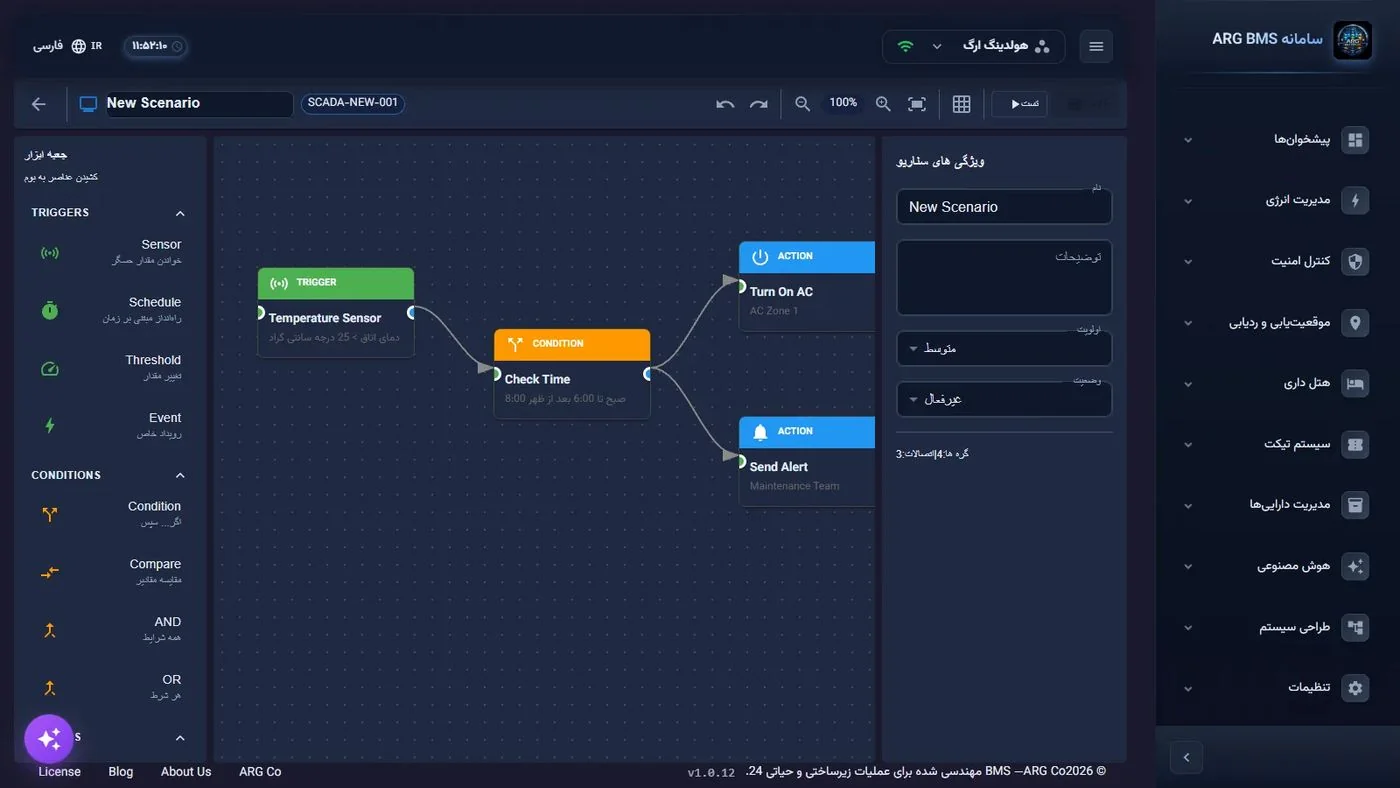
| Scenarios | A set of actions that can be activated/deactivated; triggers: manual, condition (rising edge), rule, schedule; deactivation by condition, schedule, or timeout; self-diagnosis of issues before arming; the timeout continues across a restart | Smoke evacuation: when the detector triggers, fans turn on and dampers open; once smoke clears, it reverts |
Expression Language
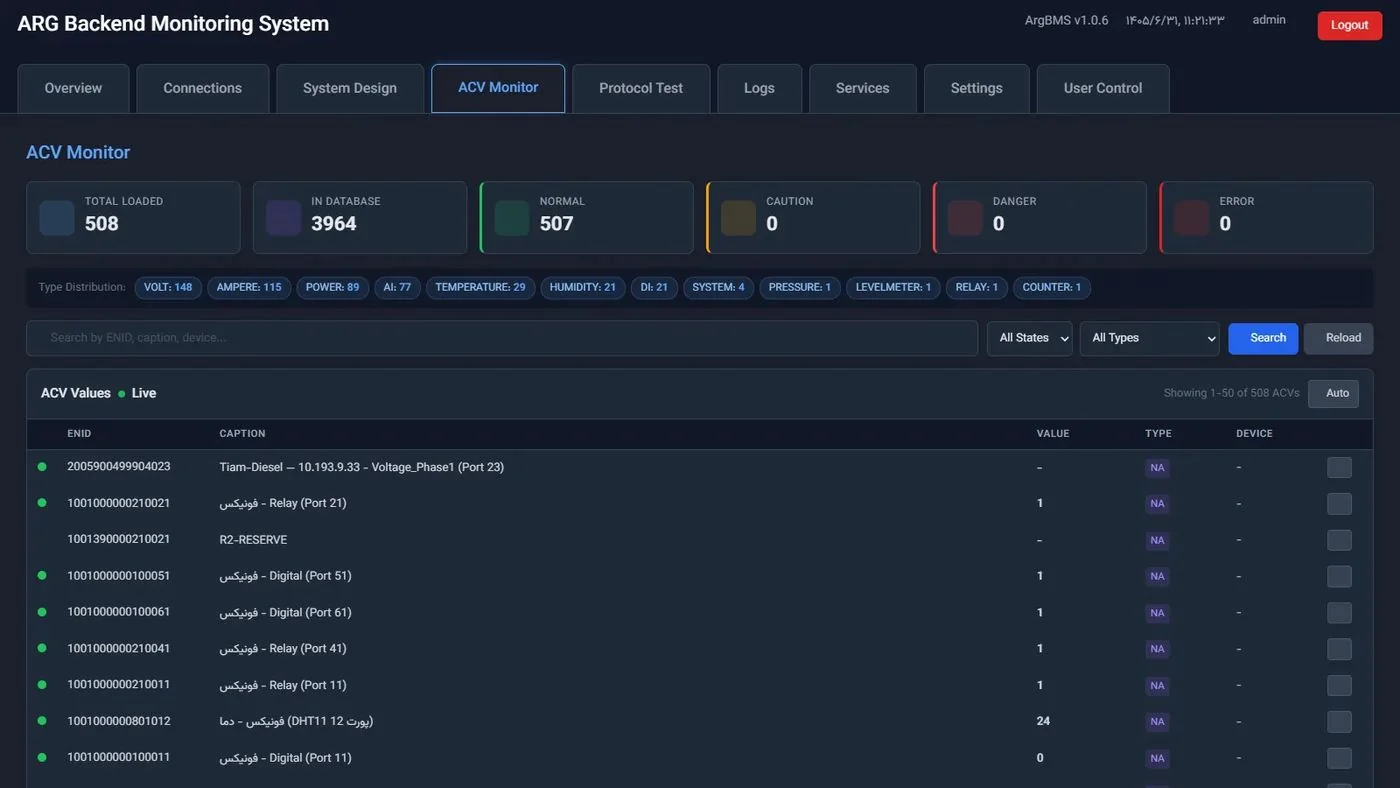
Access to any point by ID (ACV['enid']), time functions (HOUR, MINUTE, DAY_OF_WEEK, TIME_IN_RANGE, IS_WEEKDAY, IS_WEEKEND…), and historical functions over the last N values (AVG, MIN, MAX, LAST_N, CHANGED, RISING, FALLING). Expression validation before saving, and a dry run for every rule.
Design and Testing Tools
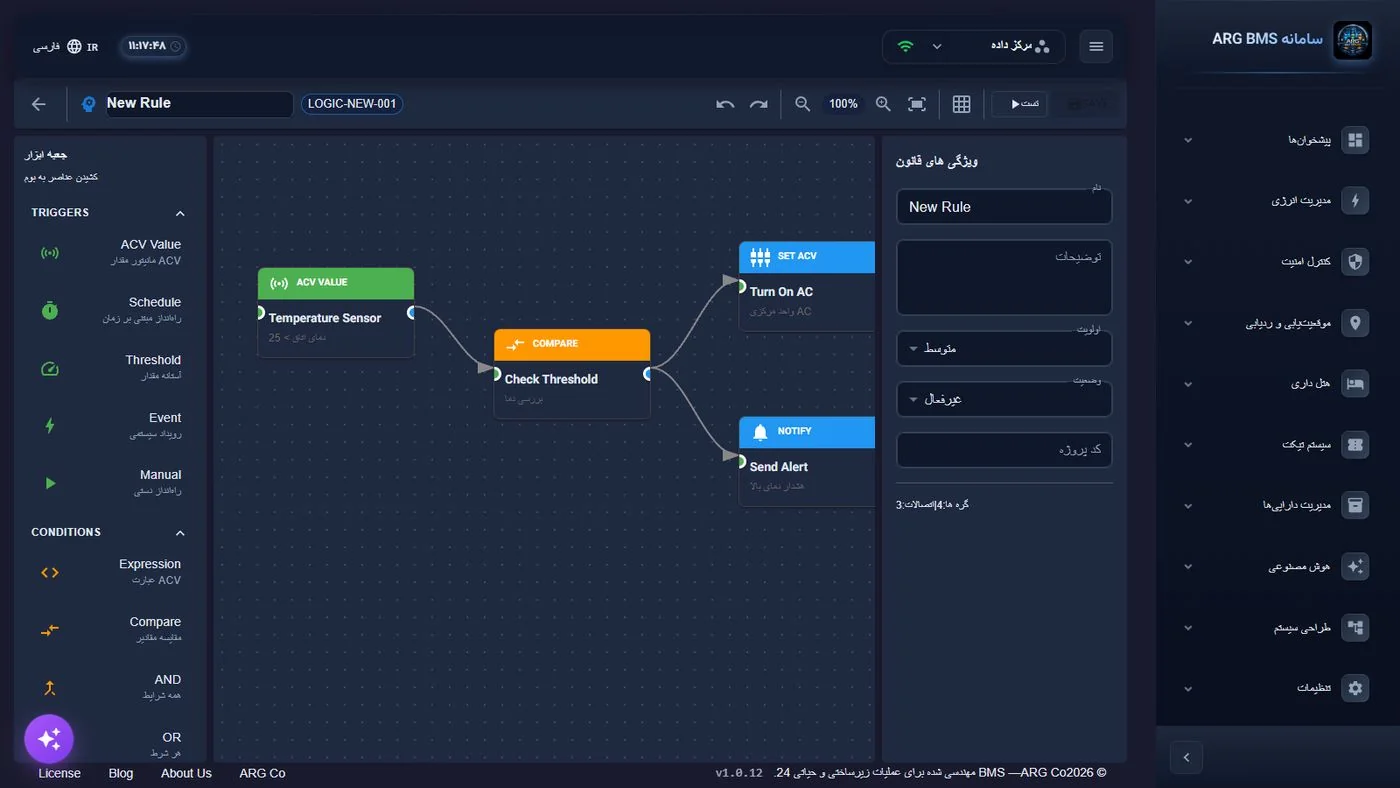
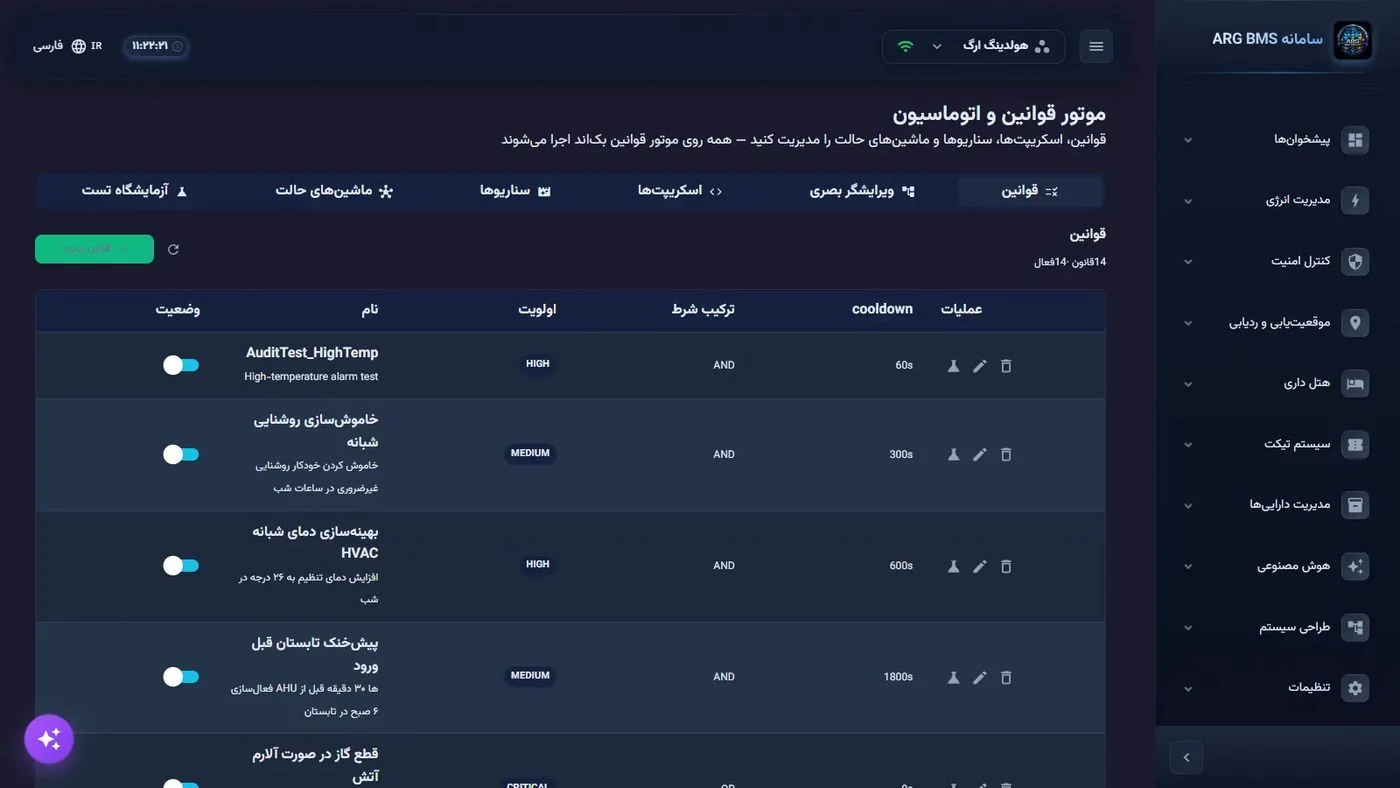
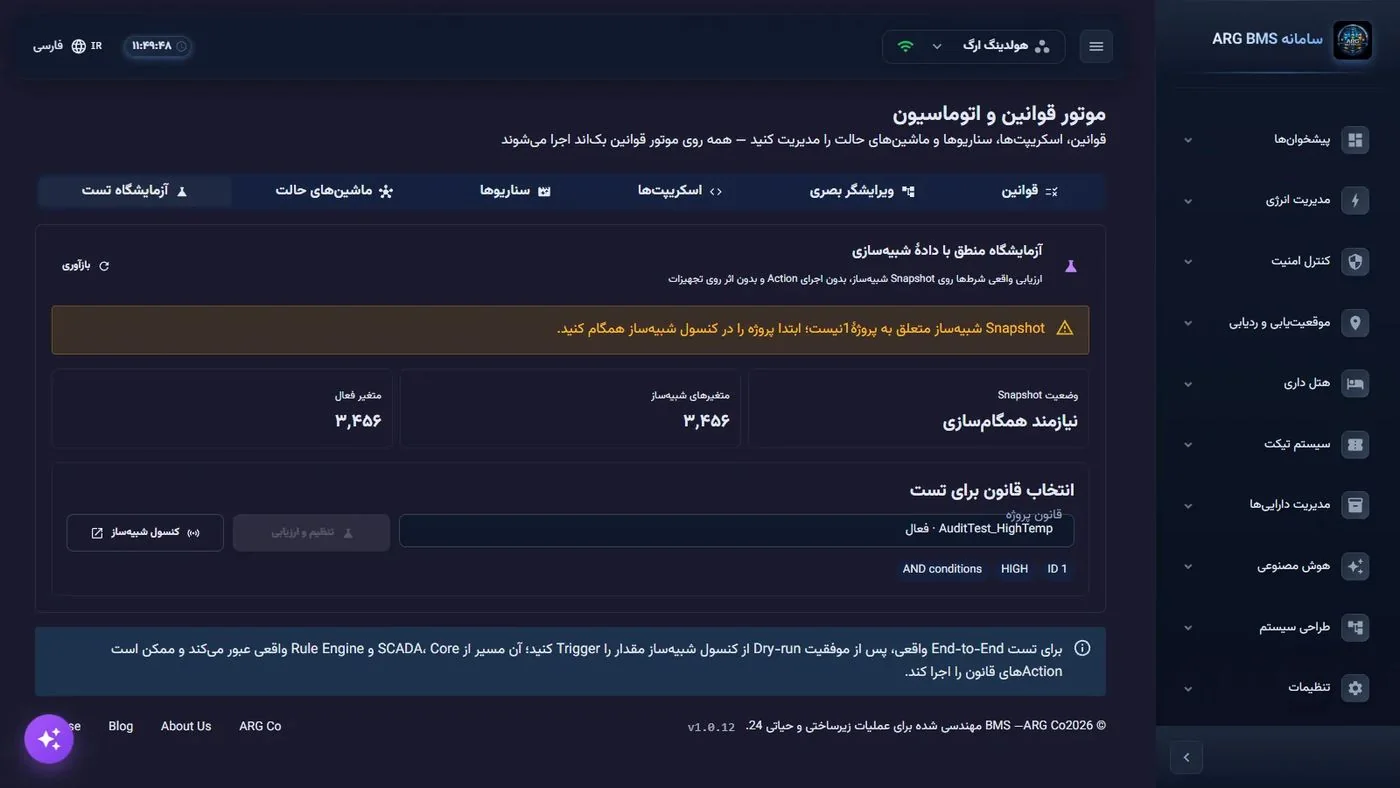
A form-based editor and a visual node editor (trigger/condition/action palette + node inspector); a logic lab with a data simulator; a rule list with status, priority, last run, and an on/off toggle. Automated test coverage for scripts, state machines, and scenarios.
Simulators and Test Lab
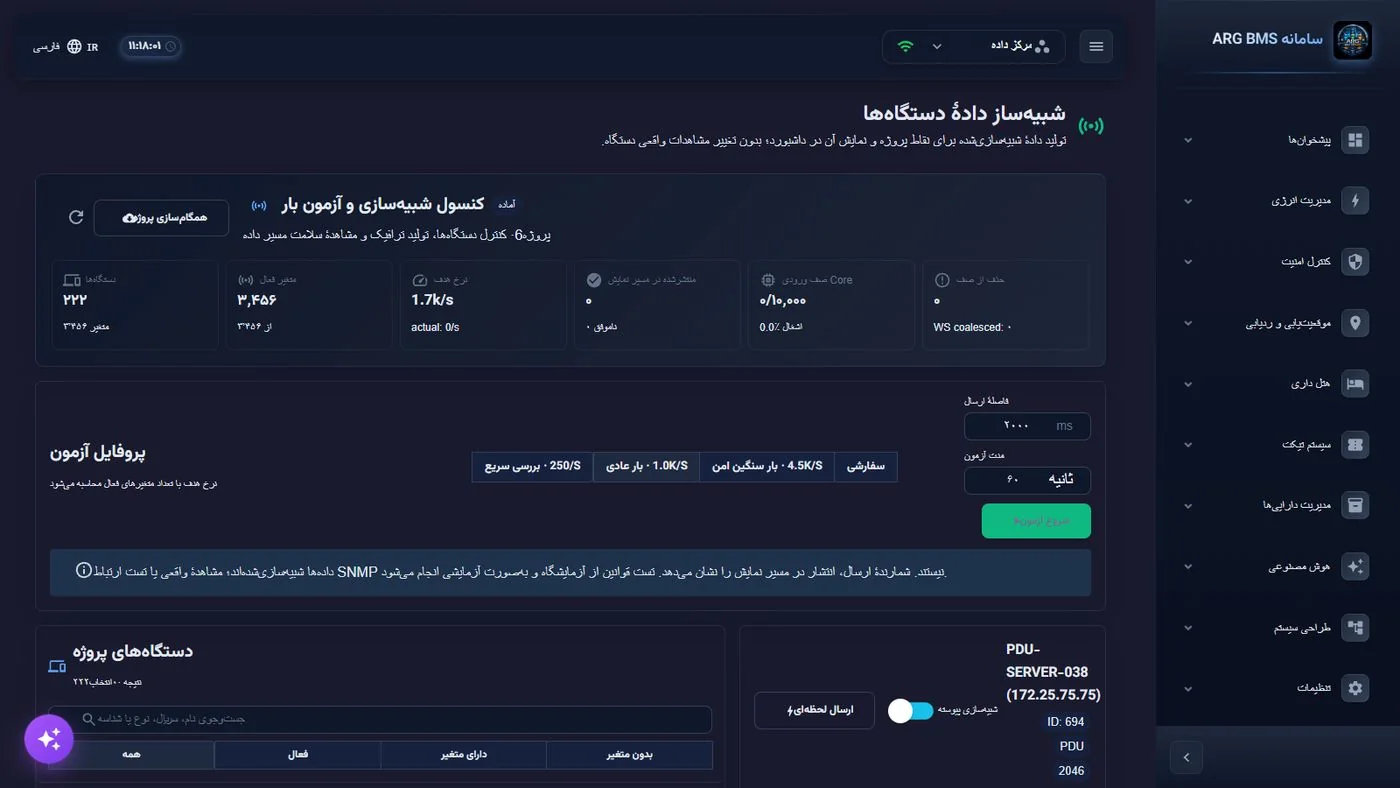
Device Data Simulator
Feeds project points with constant, sinusoidal, random, linear, and alarm-spike patterns; on/off control per point, interval, and frame rate; for demonstrations, training, and load testing before connecting real devices.
Standalone Device Simulator
A separate tool with 10 device templates (UPS, generator, server, switch, FCU, pump, chiller, AHU, meter, sensor), in graphical, command-line, headless, and AI-generated scenario modes.
Logic Lab
Running rules against simulated data and seeing the result; single-rule testing with arbitrary values; expression validation.
Protocol Tester and Protocol Console
Forced read of an SNMP/Modbus device from the user interface; a console for sending test SCADA/Modbus/SNMP/Redfish/PLC/Tuya messages from the server console; a test SNMP agent for end-to-end verification.
See the Digital Twin live
The live ArgBMS demo with real 3D twins, dashboards and logic.